iPhone & iPad · Free trial included
The Ultimate Social Media Blocker App in 2026
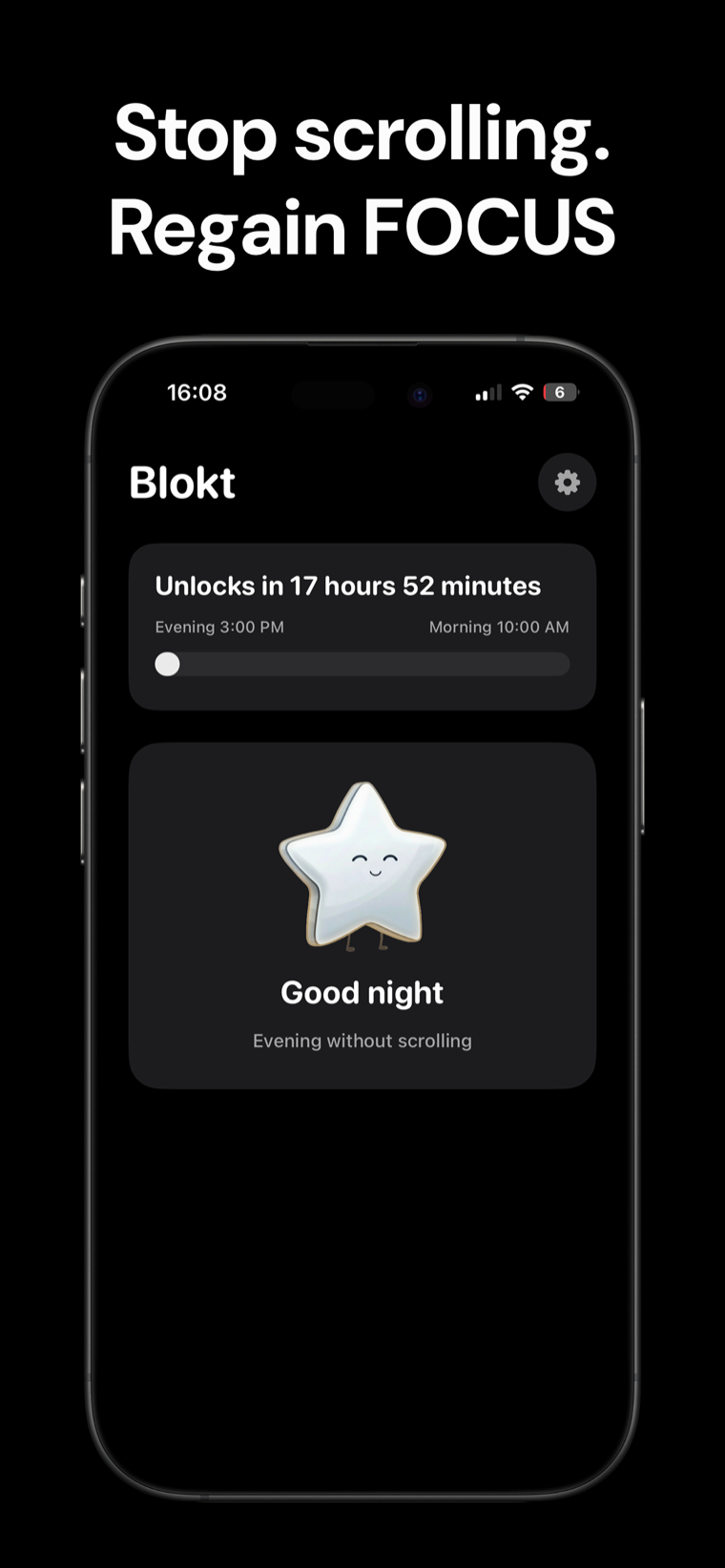
Social Media Blocker: Blokt is the “not right now” barrier between you and your feeds. Set when your evening starts and your morning ends, pick the apps that pull you in, and Blokt keeps them off-limits — no unblocks, no account, nothing leaves your device.
Features
-
Evening-to-morning protection
Set when your evening starts and when your morning ends. Blocked apps stay off-limits the whole way through — before bed and first thing after waking.
-
Block apps or whole categories
Pick exact apps — Instagram, TikTok, YouTube, Reddit — or block entire categories at once, so you don't have to hunt down every time-sink by hand.
-
No unblocks
There is no override and no snooze. A blocked app simply tells you when it will be available again, and the countdown does the arguing for you.
-
Blocking iOS enforces
Blokt is built on Apple's Screen Time controls, so a blocked app shows a system shield — it isn't an honor system you can quietly ignore.
-
Nothing leaves your device
No accounts, no data collection, no ads. Your schedule and your app choices stay on your iPhone.
-
Two minutes to set up
Set two times, pick your apps, grant Screen Time permission once — then Blokt stays out of your way and just does its job every night.
Screenshots
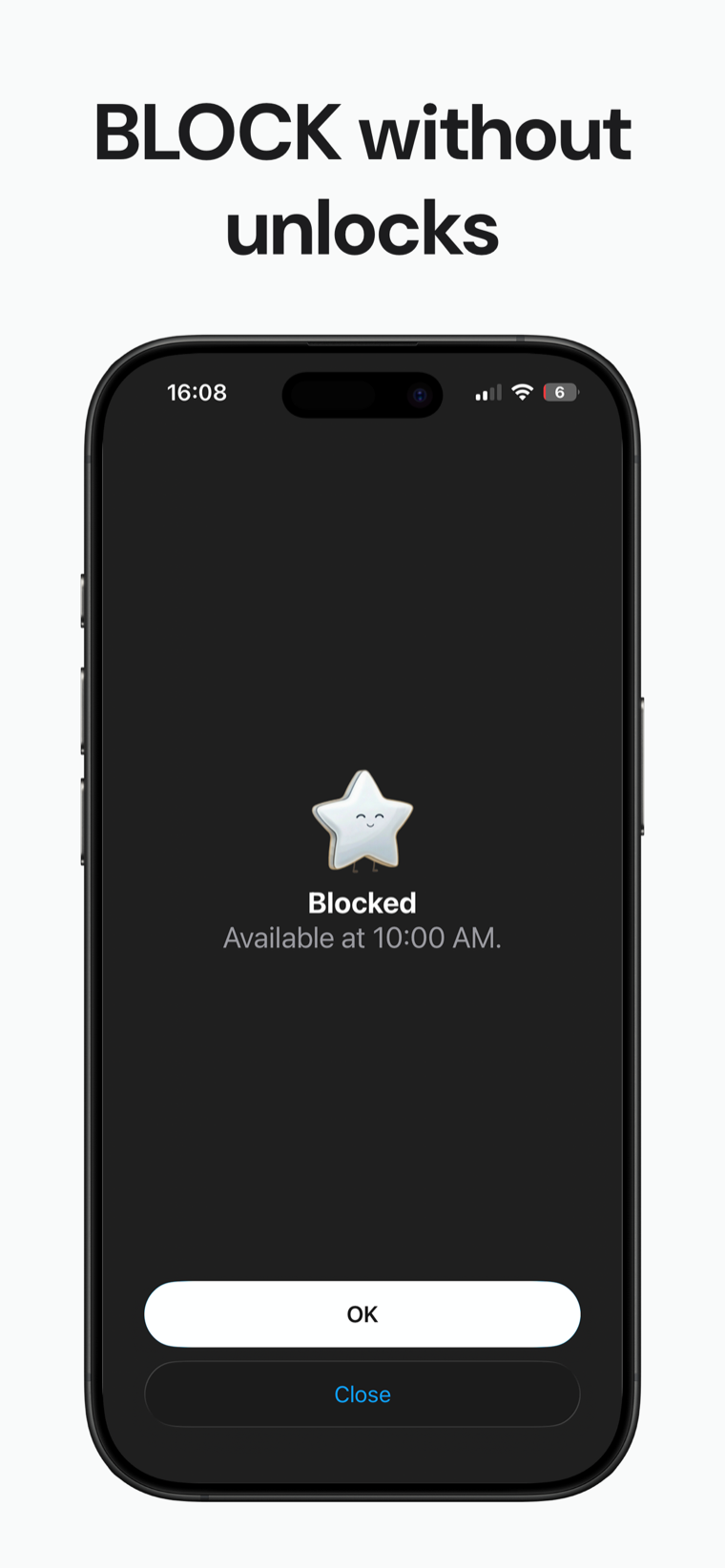
Open a blocked app during the window and this is all you get: when it will be back. No override button, no "just five more minutes".
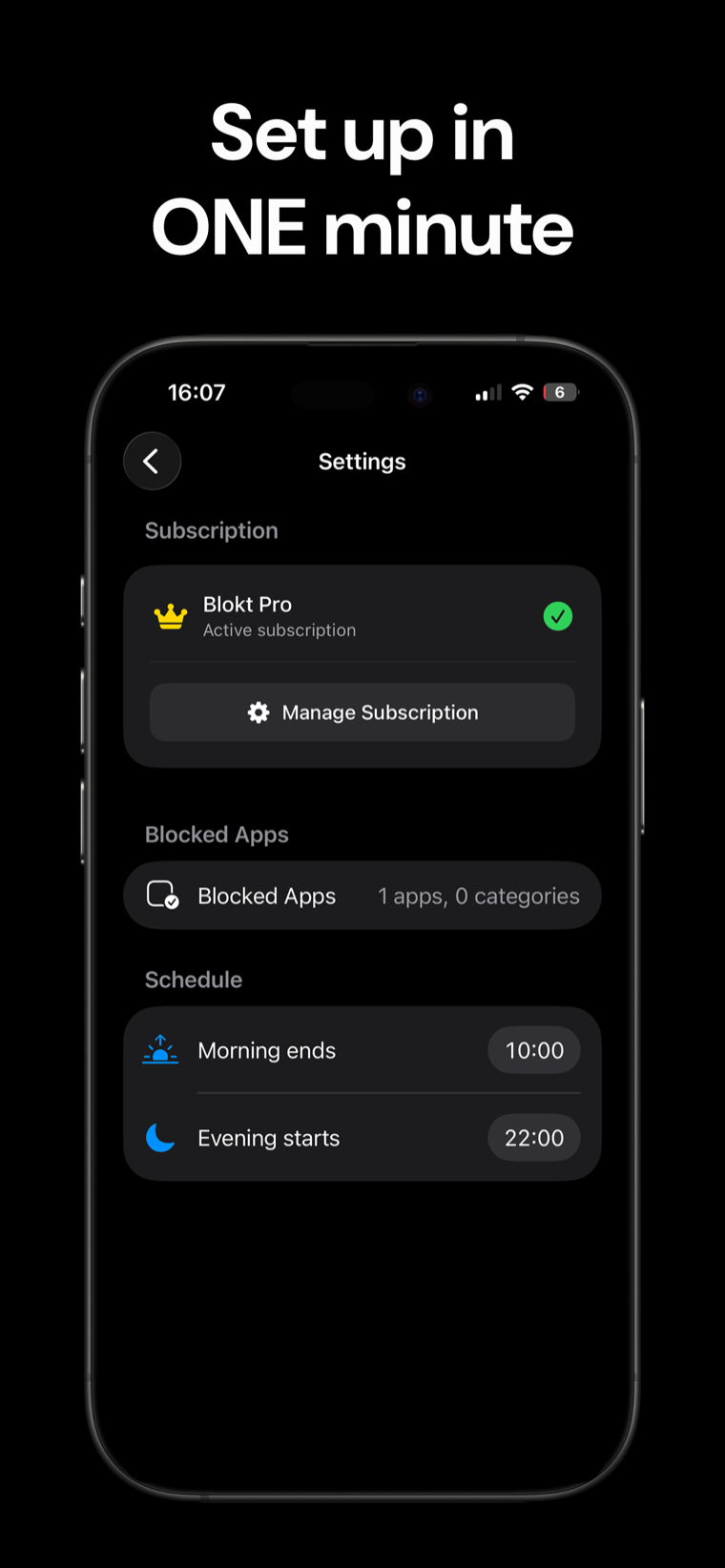
Two times and a list of apps — that's every setting Blokt has. Change when your morning ends or your evening starts whenever life changes.
How it works
-
Set your two times
Tell Blokt when your evening starts and when your morning ends — say 10 PM and 10 AM. That's the window your feeds stay shut.
-
Pick what gets blocked
Choose the apps and categories that eat your evenings. Blokt asks for Screen Time permission once, so iOS itself can hold the door.
-
Get your peace back
During the window, a blocked app just shows when it returns. Outside it, your phone works exactly as it always did.
FAQ
Frequently asked questions
What apps can Blokt block?
The ones you choose. The usual suspects are Instagram, TikTok, YouTube and Reddit, but you can pick any app on your phone, or block whole categories at once instead of hunting apps down one by one.
When are apps blocked?
From the moment your evening starts until your morning ends — one window that covers the two worst scrolling hours: before bed and right after waking up. You set both times yourself and can change them any time.
Can I unblock an app before the window ends?
No, and that's the point. Blokt deliberately has no override button — a blocked app just shows the time it becomes available again. A blocker you can talk your way past in two taps isn't a blocker.
How does Blokt actually block apps?
Through Apple's Screen Time controls. During setup you grant Blokt Screen Time permission once; after that, opening a blocked app during your window shows a shield screen instead of the app. The block is enforced by iOS, not by willpower.
Is Blokt free?
Blokt is free to download — no ads, no account required. Full access is a paid upgrade, Blokt Pro: a weekly, monthly or yearly subscription or a one-time lifetime purchase, with a free trial for new users. Prices are shown in the app before you confirm anything.
Do I need an account?
No. There's no sign-up, no email, no login. You set your times, pick your apps, and you're done in about two minutes.
What data does Blokt collect?
None. Everything runs on your device — no accounts, no data collection, no ads. Your schedule and the list of apps you block never leave your phone.
Why block evenings and mornings instead of all day?
Because that's when scrolling costs you most: the hour before bed steals sleep, and the first hour after waking sets the tone for the day. Blokt guards those bookends and leaves the rest of your day alone — your phone works normally when you actually need it.
How long does setup take?
About two minutes. Set when your evening starts and your morning ends, pick the apps and categories to block, and grant Screen Time permission once. There's nothing to maintain after that.
Does Blokt work on iPad?
Yes. Blokt runs on both iPhone and iPad.
Your feeds can wait until morning.
Download Blokt and make evenings and mornings scroll-free.
Free Blokt tools
- Phone Addiction TestEstimate how much friction your phone habits create using time, pickups, cut-down attempts, and delayed sleep. See every factor behind your score.
- Social Media Addiction TestReflect on social-feed habits with an original, browser-based score and separate time-control, checking, and interference factors.
From the blog
All articles →- Grayscale Mode for Phone Addiction: Does It Work?Grayscale mode phone addiction fixes explained honestly: how to turn it on, why it's supposed to help, and where it does and doesn't actually work.
- Notification Anxiety: Why You Check Without a BuzzNotification anxiety is checking your phone from uncertainty, not an actual alert. Here's why it happens and the fixes that actually reduce it.
- How to Set Downtime on iPhone: Step-by-StepHow to set Downtime on iPhone, what Always Allowed apps do, and why the built-in override means Downtime alone isn't a hard block.