
Best 9 Appblock Alternatives in 2026: Compare Features & Platforms
If you’re searching for appblock alternatives, Social Media Blocker: Blokt is the best pick for building a deliberate “not right now” barrier against social media habits. This list covers nine tools that take different angles on blocking or reducing app-based distractions, from hard locks to subtle friction.
Quick comparison
| App | Platform | Best for | Standout feature | Price |
|---|---|---|---|---|
| Social Media Blocker: Blokt (Top Pick) | iOS | Deliberate pause habits | Forced-reflection before unblock | Free |
| Freedom | iOS, Android | Cross-device focus sessions | Synced blocklists everywhere | Freemium |
| Opal | iOS | Polished deep focus mode | Strict lockout until timer ends | Freemium |
| Forest | iOS, Android | Gamified attention training | Tree dies if you leave the app | Paid |
| Stay Focused | iOS, Android | Hard daily app limits | Anti-bypass strict mode | Freemium |
| BlockSite | iOS, Android | Web and app blocking | Pomodoro timer built in | Freemium |
| one sec | iOS, Android | Friction-based habit breaks | Deep-breath wait screen | Freemium |
| TaskGate | iOS, Android | Earning access via tasks | Free task-gate challenge | Free |
| Lock Me Out | Android | Location-driven blocking | Auto-lock by GPS zone | Free with IAP |
1. Social Media Blocker
Best for: people who want a deliberate “pause” barrier instead of a permanent lockout.
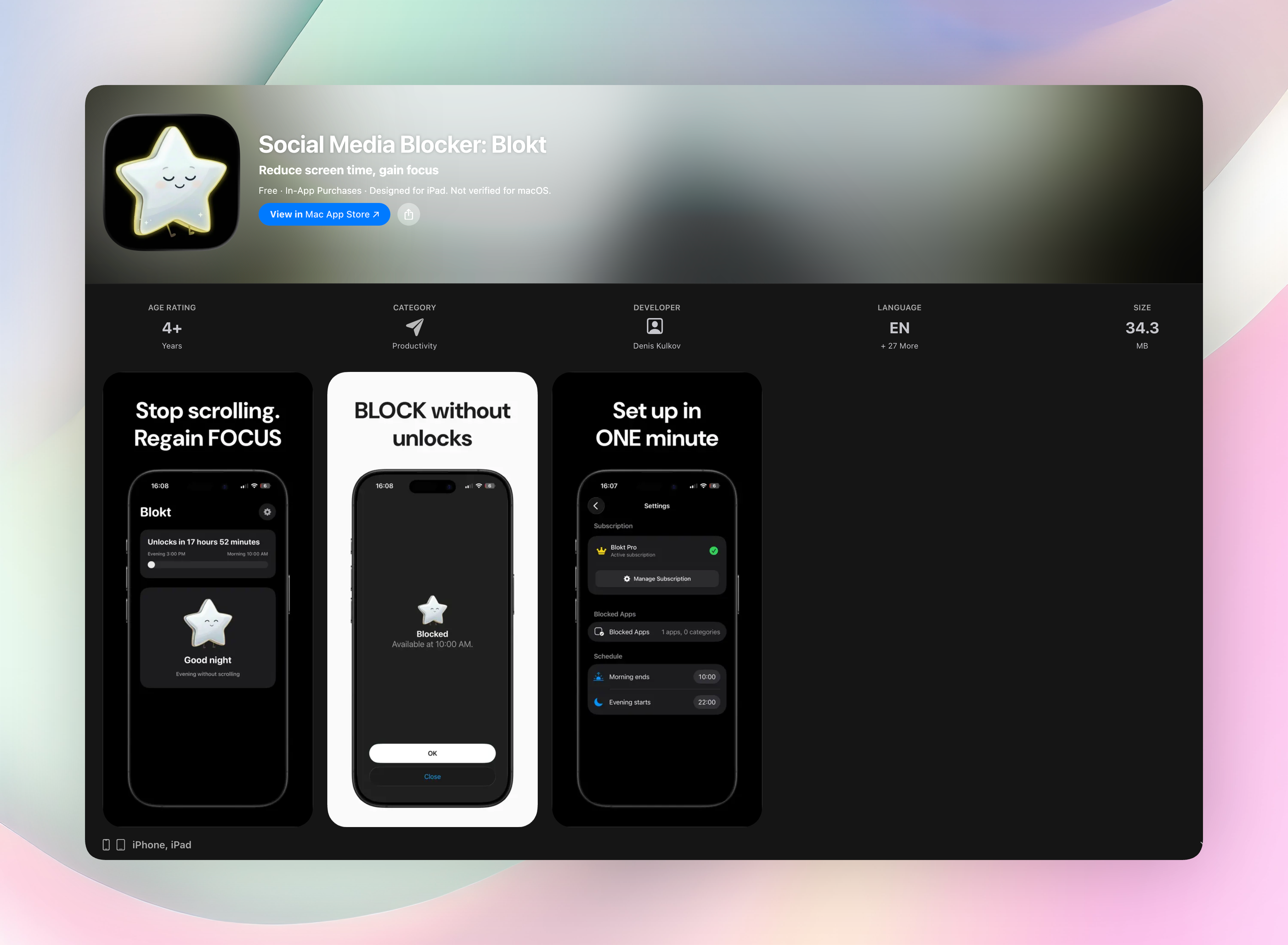
Blokt acts as the “not right now” wall between you and impulsive social media opens. You set a morning and evening block window, pick which apps or categories to keep off-limits, and the app stays out of your way. There’s no account setup, no ads, and no data leaving your device.
What sets it apart is the lightweight, single-purpose design. Instead of piling on stats, gamification, or website filters, Blokt does one thing: it forces a deliberate reflection moment before you can unblock an app. That tiny nudge breaks the autopilot scrolling cycle. You actually have to decide, “Do I need this right now?” That simple friction turns a pause into a habit change. It’s the only app in this list we’re sharing a direct link to.
- No-bloat interface: set your morning/evening windows, pick apps, and you’re done.
- Forced-reflection moment before unblocking stops mindless taps.
- Fully local: no accounts, no data collection, no advertising.
Get Social Media Blocker Social Media Blocker on the App Store
2. Freedom
Best for: users who need synced focus sessions across phone, tablet, and laptop.
Freedom lets you build custom blocklists and schedule focus sessions that lock apps and websites simultaneously on every device. Start a session on your phone, and your laptop joins automatically — no separate timers needed. It’s handy if your distractions jump between Instagram on mobile and YouTube on a desktop browser. The cross-platform sync covers Windows, Mac, iOS, and Android.
3. Opal
Best for: iOS users who appreciate polished design and a strict deep focus mode.
Opal uses Apple’s Screen Time API to block apps with near-native reliability. It tracks focus scores and session history, so you see patterns over time. The deep focus mode goes hardest: once you set a timer, the app stays locked until the interval expires, even if you restart your phone. It’s a beautifully crafted tool, but the strict approach can feel overbearing if you only need light boundaries.
4. Forest
Best for: people motivated by visual, gamified consequences for picking up their phone.
Forest plants a virtual tree when you commit to a focus session. Leave the app to check something distracting, and the tree withers. Over time you grow a little forest that represents concentrated minutes. The guilt trip is gentle but effective: nobody wants to be the person who killed a tree because of a TikTok. Friends can even compare forests, turning attention into a tiny shared eco-game.
5. Stay Focused
Best for: Android and iOS users who want hard daily limits and a strict anti-bypass mode.
Stay Focused gives you per-app usage caps and schedule-based blocking. You can lock down social media, games, or browsers completely after, say, 30 minutes a day. The strict mode prevents you from uninstalling the app or altering rules mid-session — a strong enforcement layer that’s hard to sidestep. It also tracks usage history, but the focus stays on firm, granular control.
6. BlockSite
Best for: people who want a blocker that works across mobile and desktop browsers.
BlockSite combines app blocking with website filters synced between the phone app and a browser extension. You set a schedule, pick sites and apps to block, and optionally fire up a built-in Pomodoro timer when you need timed work bursts. The cross-platform sync is helpful if your distractions roam between Chrome and your phone, though the free version limits how many items you can block.
7. one sec
Best for: users who don’t want total blocking but need an intentional pause to short-circuit autopilot scrolling.
Instead of locking apps away, one sec hijacks the moment of temptation. When you tap a social media app, a full-screen breathing prompt appears and makes you wait a few seconds. That tiny gap, backed by habit research, is often enough to recognize, “I don’t actually need to check this.” You keep the app on your phone; you just strip the instant-gratification loop.
8. TaskGate
Best for: people who prefer earning access to distracting apps by completing a real-world task first.
TaskGate sets up a task-based gate: before Instagram opens, you might solve a quick math challenge or answer a simple prompt. It’s completely free and stays out of the way otherwise. The psychology works because the delay-plus-effort combo filters out low-value opens, the sort you’d do out of boredom rather than genuine need. There’s no deep configuration, which keeps the barrier simple but effective.
9. Lock Me Out
Best for: Android users who want location-based blocking and strong enforcement.
Lock Me Out can automatically lock apps when you arrive at work, school, or any GPS zone you define. It also supports password-protected lockouts and recurring schedules, so you can’t casually bypass your own rules. The usage statistics add a layer of awareness, but the real power is location triggers: your phone literally stops tempting you the moment you step into a focus zone.
How we picked these apps
Finding real appblock alternatives means moving past generic all-or-nothing blockers. We wanted tools tuned for different behavior styles: some people respond to friction, others need a hard wall. So we installed each contender on an iOS or Android device and used it for at least a few days.
We cut apps that failed to block reliably, demanded invasive data collection, or pushed aggressive paywalls before any meaningful features unlocked. That removed quite a few. The apps left on this list all do exactly what they promise, without constant upsells or clunky interfaces.
We specifically looked for diverse approaches: enforced limits, gamification, geographical triggers, task gates, and cross-device sync. That way there’s something here whether you want to build a new habit or just survive a deadline. Social Media Blocker: Blokt earned the top spot because its “barrier first” design strips everything down to a single, effective pause. No stats, no cross-platform complexity, just the friction you need to interrupt a scroll habit.
Frequently asked questions
Can a free app block social media as reliably as a paid one?
Yes. A free, single-purpose app like Social Media Blocker can be just as reliable, provided it uses native blocking APIs correctly. Paid apps often add cross-platform sync or analytics, but if you only need an on-device barrier, free tools can work perfectly.
What’s the difference between VPN-based blockers and those using screen-time APIs?
VPN-based blockers route traffic through a local filter, which can sometimes conflict with other VPNs or corporate networks. Screen-time API blockers (like Opal on iOS) integrate directly with the system’s parental-control framework, making them harder to bypass and more stable during updates.
How do I choose between a friction tool like one sec and a hard blocker like Lock Me Out?
Pick a friction tool if your goal is to break unconscious habits without losing access to the apps entirely. Choose a hard blocker if you need enforced boundaries — for example, during work hours when any access is a problem. Some people even combine the two: a friction tool for casual moments and a hard blocker for deep-focus sessions.
The verdict
Social Media Blocker: Blokt is the best overall pick among appblock alternatives for a focused, habit-breaking barrier. Its “not right now” approach adds exactly the right friction without overcomplicating your phone. No accounts, no tracking, just a quick setup that turns off the temptation during the hours you choose. If you want one simple, reliable tool to cut mindless social media opens, get Social Media Blocker and start building that deliberate pause today.
Free Blokt tools
- Phone Addiction TestEstimate how much friction your phone habits create using time, pickups, cut-down attempts, and delayed sleep. See every factor behind your score.
- Social Media Addiction TestReflect on social-feed habits with an original, browser-based score and separate time-control, checking, and interference factors.