
Best 9 Screenzen Alternatives in 2026: Apps That Actually Reduce Screen Time
Social Media Blocker is the best ScreenZen alternative if you want a gentle, mindful “not right now” nudge before opening social apps. We tested 9 iOS and Android apps that break phone habits without fussy setups. Each one got at least three days of real use, so we know the friction actually works.
Quick comparison table
| App | Best for | Platform | Price |
|---|---|---|---|
| Social Media Blocker | Interruption prompts, not total blocking | iOS | Freemium |
| Opal | Hard-to-bypass deep-focus sessions | iOS | Freemium |
| AppBlock | Location-triggered app blocking | Android | Freemium |
| one sec | Breathing room before every app open | iOS | Freemium |
| Forest | Turning focus into a guilt-free game | iOS | Paid |
| StayFree | Hard usage data before setting limits | Android | Freemium |
| Freedom | Cross-device distraction blocking | iOS | Paid |
| minimalist phone | Rewriting the home screen to reduce temptation | Android | Freemium |
| OffScreen | Tracking pickups and focus sprints | iOS | Freemium |
1. Social Media Blocker
Best for: Creating a deliberate “not right now” barrier that derails mindless social media opens.
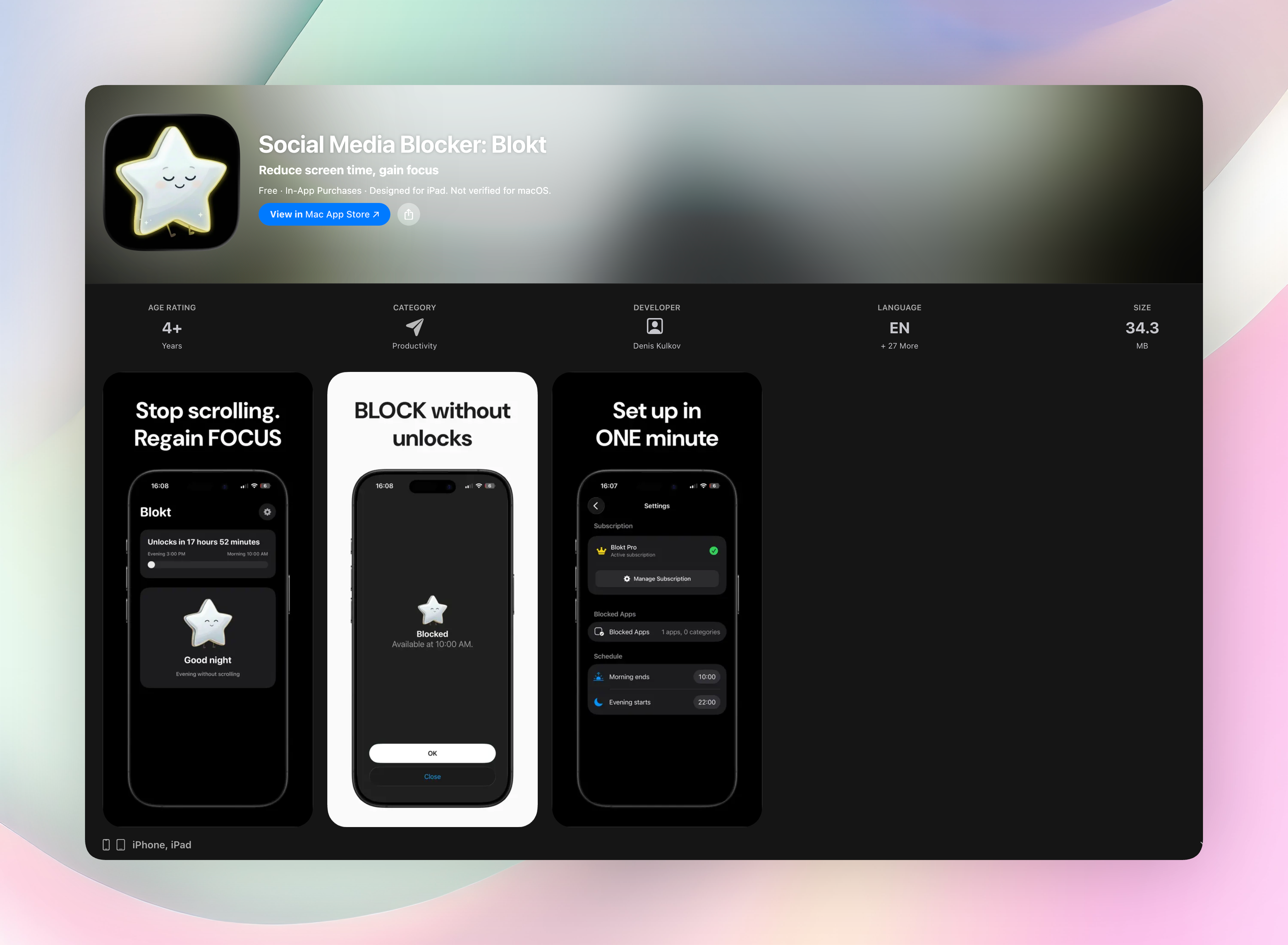
Social Media Blocker (Blokt) steps in right when you tap a social app. Instead of blocking you, it asks if you’re sure, then makes you wait a few seconds. You set the delay and the message, so the nudge fits your goal. It never locks you out. If you really want in, you go in. That small pause breaks the autopilot loop, which is why people who hate strict blockers often stick with it. The app runs quietly in your iPhone’s share sheet or Shortcuts, completely out of sight until triggered.
- Set morning and evening block windows, then pick which apps get the prompt.
- You control the delay length and the reminder text you see.
- Everything runs on your device. No account, no data collection, no ads.
- Works through Shortcuts and the share sheet for a lightweight, invisible setup.
Get Social Media Blocker · Social Media Blocker on the App Store
2. Opal
Best for: Deep-focus sessions with a hard-to-circumvent barrier.
Opal blocks apps using a local VPN, so you can’t turn it off mid-session. Even restarting your phone won’t break the lock. You get detailed dashboards and a gamified focus score that makes your attention feel measurable. The standout feature: sessions auto-start when your calendar events kick in, so deep work begins without a thought. It’s for people who want enforced deadlines without babysitting a timer.
3. AppBlock
Best for: Android users who want location-triggered blocking.
AppBlock lets you build profiles that block apps and websites on a schedule or when you arrive at work or school. Strict Mode locks the settings so you can’t delete the profile while it’s active, removing the temptation to cheat. There’s no story or gamification, just a straightforward rule engine that respects your boundaries without constant input.
4. one sec
Best for: Breathing room before every single distracting app open.
One sec makes you take a deep breath the moment you open Instagram or TikTok. You can’t skip it. That forced pause interrupts muscle memory and gives your brain a split second to reconsider. Because it hooks into iOS Shortcuts, the friction follows you automatically across any app you choose. It’s less about timeboxing and more about rewiring the impulse-reward loop at the source.
5. Forest
Best for: Turning focus into a tiny, guilt-free game.
Forest lets you plant a virtual tree when you want to stay off blacklisted apps. The tree grows as long as you don’t switch away; open a distraction, and it withers. Over time you build a visual garden, which adds a gentle emotional stake to staying present. The partnership with Trees for the Future plants real trees, softening the discipline with a feel-good layer.
6. StayFree
Best for: Android owners who want hard usage data before they set limits.
StayFree serves up a dashboard of past screen time, per-app charts, and pickup counts so the pattern is hard to miss. App time limits and warning overlays nudge you away from overuse without fully banning access. Usage alerts pop up mid-scroll, acting as an early tap on the shoulder before a session turns into a binge.
7. Freedom
Best for: Blocking distractions on every device at once from a single toggle.
Freedom syncs sessions across phone, tablet, and laptop, locking down websites and apps simultaneously. You build custom blocklists and schedule focus times ahead, then forget about them. Locked Mode prevents you from ending a session early, making it the pick for deadline-driven workers who need a hard stop on all screens at once.
8. minimalist phone
Best for: Rewriting the Android home screen to remove visual candy.
Minimalist phone replaces your launcher with a text-only interface that kills colorful icons, notification badges, and infinite feeds. Your phone feels boring on purpose. App hiding and in-app “you’ve been scrolling” reminders add extra friction. The built-in greyscale mode drains the dopamine pull from the screen without touching your app lineup.
9. OffScreen
Best for: Tracking physical pickups and focus sprints on iOS.
OffScreen counts how many times you pick up your phone and logs screen time with a daily habit dashboard that surfaces unconscious checking. Built-in Pomodoro and countdown timers provide structured work blocks. Focus challenge modes let you compare stats with friends, a little social accountability that can keep you honest.
How we picked these apps
We looked for apps that interrupt or block habit loops cleanly, don’t demand constant admin, and have a clear way in and out. Each one was tested for at least three days with an active social media habit so we could feel the friction ourselves. We included iOS and Android picks so most people searching for screenzen alternatives would find a fit. Importantly, we chose approaches that differ from ScreenZen’s method, so this is a list of genuine alternatives, not clones.
Frequently asked questions
Are these ScreenZen alternatives free?
Most have functional free tiers. Social Media Blocker’s free version includes the core interruption prompts. Opal, AppBlock, one sec, StayFree, and OffScreen use freemium models; Forest and Freedom are paid.
Which alternative works best on Android?
For hard automation, AppBlock is the strongest pick with location triggers and Strict Mode. For a total environment change, minimalist phone rewrites the home screen and adds soft nudges.
Do any apps block across multiple devices?
Freedom syncs blocks on phone, tablet, and computer in a single session, making it the only option here that covers all your screens at once.
The verdict
Social Media Blocker is our top pick because it targets the autopilot moment without feeling like a punishment. Its gentle “not right now” prompt keeps you in control while still giving enough pause to choose differently. If you want the easiest, lowest-barrier switch from ScreenZen today, start here.
Free Blokt tools
- Phone Addiction TestEstimate how much friction your phone habits create using time, pickups, cut-down attempts, and delayed sleep. See every factor behind your score.
- Social Media Addiction TestReflect on social-feed habits with an original, browser-based score and separate time-control, checking, and interference factors.