
Best 8 Freedom Alternatives in 2026: Block Distractions for Good
Introduction
Social Media Blocker is the best among freedom alternatives because it inserts a deliberate “not right now” moment between you and social apps. It interrupts the autopilot scroll without locking you out completely. Below you’ll find seven more solid blockers for iOS and Android, each tested and free of fluff.
Quick comparison table
| App | Platform | Best for | Standout trait |
|---|---|---|---|
| Social Media Blocker | iOS | Breaking the autopilot scroll | Friction delay |
| Forest | iOS | Visual motivation | Gamified focus |
| AppBlock | Android | Strict schedules | Location-based rules |
| BlockSite | Android | Pomodoro sprints | Work mode & break enforcement |
| Opal | iOS | Hard cut-off | Focus scores & VPN lock |
| one sec | iOS | Interrupting muscle memory | Breathing pause |
| Flipd | iOS | Long study blocks | Social accountability rooms |
| Offtime | Android | Habit analytics | Usage insights & auto-replies |
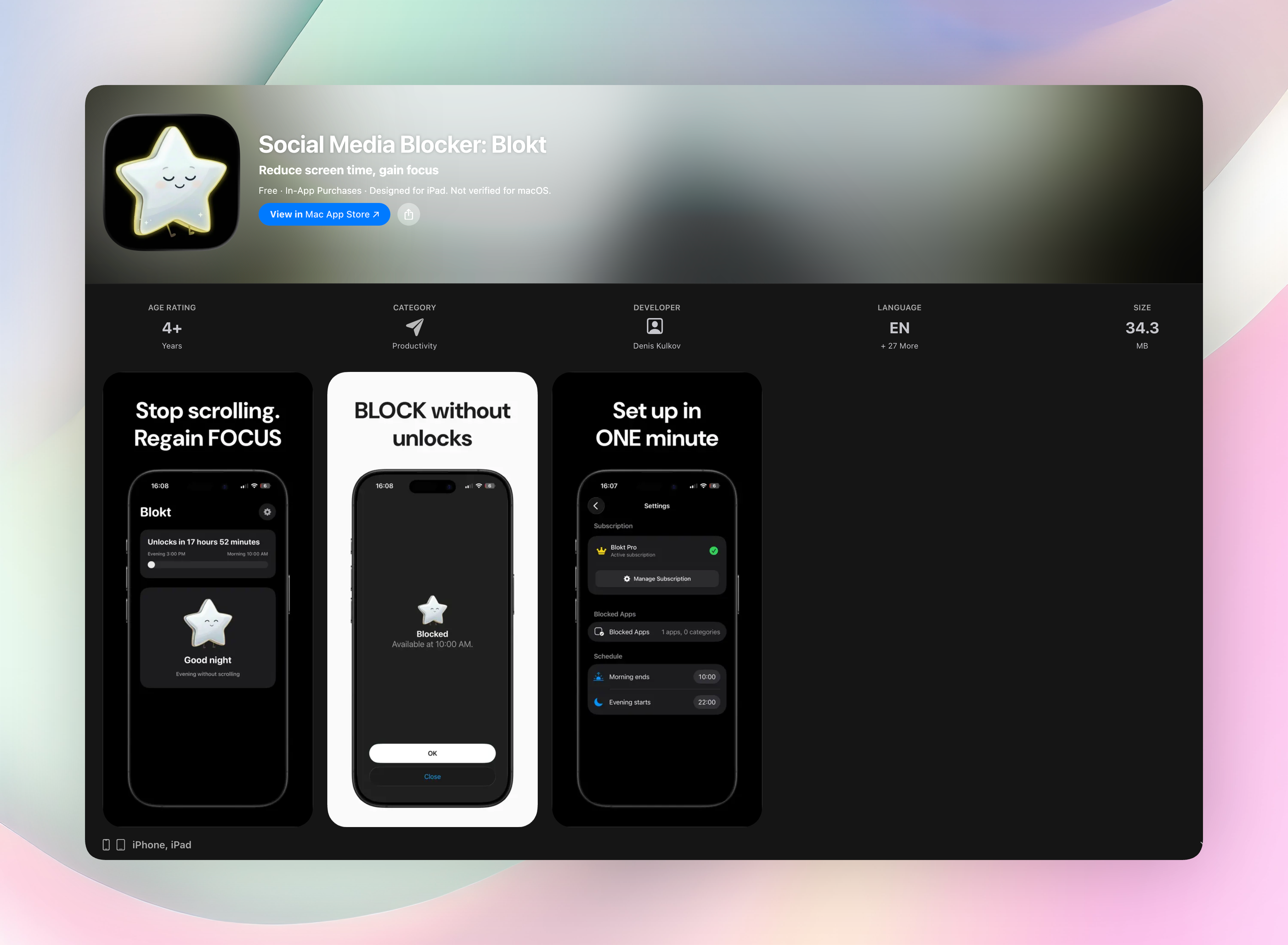
1. Social Media Blocker: Blokt
Best for: breaking the autopilot scroll.
Social Media Blocker puts a lightweight “not right now” barrier between your thumb and the apps that eat your attention. Instead of banning apps outright, it shows a simple prompt you set for yourself. A split-second question like “Really need this now?” derails the habit loop. It’s iOS-only and takes about two minutes to configure. You choose your morning and evening windows, pick the apps to block, and the whole thing runs on-device with no accounts, no data collection, no ads.
Standout feature: the customisable friction message. You write the exact nudge you need to hear, which makes the pause feel personal rather than preachy. A ten-second delay stops a thirty-minute dive, giving you just enough space to decide whether you’re opening Instagram on purpose or just because your thumb moved. Unlike total blockers, access stays intact. It simply becomes intentional. For most people chasing freedom from social media, this gentle self-check is the cleanest starting point.
Get Social Media Blocker · Social Media Blocker on the App Store
2. Forest: Focus for Productivity
Best for: visual motivation and guilt-free focus streaks.
Plant a virtual tree when you want to focus, and it grows as long as you stay inside the app. If you sneak off to check social media, the tree withers. Over time you build a real-looking forest that maps your focused sessions, which is surprisingly satisfying. iOS only. A light collaborative mode lets groups plant together for shared accountability.
3. AppBlock - Block Apps & Sites
Best for: strict, scheduled blocking on Android.
AppBlock locks down apps and websites using time‑based profiles you set in advance. The real punch is location‑based blocking. It can auto‑activate the moment you arrive at work or class, so you don’t have to remember to switch it on. Strict mode prevents uninstalling or bypassing during active blocks, making it a tough lock when willpower runs thin.
4. BlockSite: Block Apps & Sites
Best for: combining blocking with Pomodoro work sprints.
BlockSite pairs custom blocklists with a built‑in focus timer that runs work intervals and enforces breaks. Work mode automatically cycles between blocked periods and free moments, so you’re not endlessly restricting yourself. Android‑only, and it also plugs into your browser to block distracting sites alongside apps.
5. Opal: Screen Time for Focus
Best for: people who need a hard cut‑off on iOS.
Opal uses a local VPN approach to sever internet access for chosen apps. Once a session is locked in, bypassing it is genuinely annoying, which is the point. It serves up focus scores and session reports that turn screen time into a performance metric, so you can see exactly when your attention held and when it cracked.
6. one sec | screen time + focus
Best for: interrupting unconscious muscle‑memory taps.
Before a social app opens, one sec forces a short breathing delay, just enough time for your brain to catch up with your thumb. That tiny gap re‑routes the impulse without blocking anything permanently. It’s iOS‑only and integrates with Shortcuts if you want deeper automation around your distractions.
7. Flipd: Focus & Study Timer
Best for: long study blocks on iOS.
Flipd runs a focus timer with a lock‑down mode that hides distracting apps from sight. The standout is its social accountability rooms: you and a few friends can track each other’s focused sessions in real time. The interface stays clean and uncluttered, with none of the gamification fluff that can feel like another distraction.
8. Offtime - Distraction Free
Best for: detailed phone‑habit analytics on Android.
Offtime blocks calls, texts, and apps using custom profiles and then shows you exactly when and how you reached for your phone. Those usage insights turn vague guilt into something you can actually address. It also auto‑replies to contacts, so you can unplug without leaving people hanging.
How we picked these apps
We looked for tools that create genuine friction you can’t dismiss with a single tap. Each app was tested on its home platform for at least three days. Privacy came first. We discarded anything that asked for sketchy permissions or required an account just to block a few apps. We intentionally mixed total blockers, delay‑based nudges, and analytics‑driven companions so there’s a sensible option whether you need a locked door or just a polite pause. Cross‑platform availability was a bonus, not a requirement.
Frequently asked questions
Can I still use essential apps while blocking social media?
Absolutely. Every tool here lets you whitelist apps like maps, banking, or email so they stay untouched even when social feeds are locked.
Will these apps block all social media or just some?
You build your own blocklist. You decide which apps or sites get restricted, and you can tweak the list whenever your habits shift.
Do these work on both iOS and Android?
Some are iOS‑only, some Android‑only, and a few straddle both platforms. Check the table above before you download. None of them require jailbreaking or rooting your phone.
The verdict
Social Media Blocker remains the top pick among freedom alternatives because its simple friction rewires your opening reflex without burning bridges. Grab it on the App Store: Social Media Blocker on the App Store. If you want a visual streak, Forest is the best gamified pick. For a strict Android lock‑down, AppBlock’s location rules are tough to beat. Start with the gentle pause, then add a hard blocker if you need both guardrails.
Free Blokt tools
- Phone Addiction TestEstimate how much friction your phone habits create using time, pickups, cut-down attempts, and delayed sleep. See every factor behind your score.
- Social Media Addiction TestReflect on social-feed habits with an original, browser-based score and separate time-control, checking, and interference factors.