
Best 9 Minimalist Phone Alternatives in 2026: Cut Screen Time Fast
Introduction
Social Media Blocker is the best pick for breaking social media loops without gutting your whole phone. Here are nine minimalist phone alternatives that reduce visual noise, block distractions, or both, so you can reclaim focus without ditching your smartphone.
Quick comparison table
| App | Platform | Best for | Standout feature |
|---|---|---|---|
| Social Media Blocker | iOS | Breaking autopilot social media checking | Customizable delay screen that interrupts the urge |
| Minimalist Phone | Android | Complete launcher overhaul | In-app screen time coach pop-ups |
| Blank Spaces | iOS | Clean iPhone aesthetic | Widgets that turn icons into a monochrome grid |
| Niagara Launcher | Android | One-handed, clutter-free use | Embedded notifications in the app list |
| Dumb Phone | iOS | Near-dumbphone look on iPhone | Text-forward home screen with zero badges |
| Olauncher | Android | Open-source minimalism | Daily wallpaper behind a plain text list |
| Dumbify | iOS | Reducing mindless scrolling | Focus mode showing only a clock and 1–2 apps |
| Before Launcher | Android | Quiet notification management | Notification inbox that batches low-priority alerts |
| KISS Launcher | Android | Older, low-storage phones | Tiny memory footprint for quick performance |
1. Social Media Blocker
Best for: people who need a hard pause before opening addictive social apps.
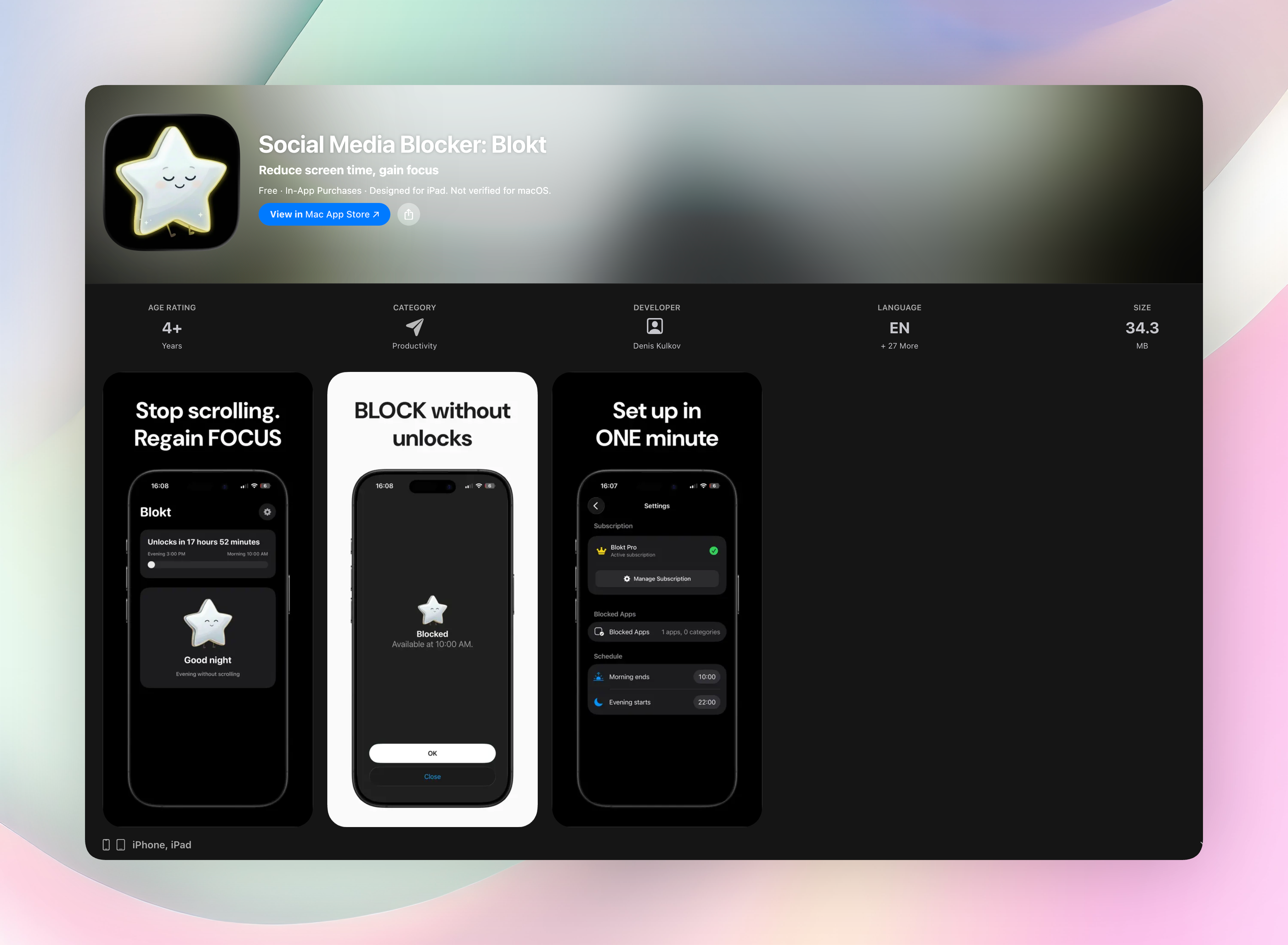
Blokt doesn’t overhaul your entire phone. It inserts a deliberate “not right now” screen between you and the app, which snaps you out of autopilot tapping. You pick the morning and evening windows, choose which apps or categories to block, and that’s it. It’s iOS-only and requires no ongoing tinkering, just a one-time configuration that takes about two minutes.
The delay screen isn’t a permanent wall. It buys you just enough time for the urge to pass, and you can still get into the app if you really need to. Because it doesn’t strip your phone down to text or hide core functions, it fits a normal lifestyle without making your device unusable.
- Set your own morning and evening block windows
- Choose exactly which apps and categories stay off-limits
- Everything runs locally: no accounts, no data collection, no ads
If you want to put a speed bump between you and endless scrolling, give it a try. Get Social Media Blocker or grab it directly on the App Store.
2. Minimalist Phone
Best for: Android users who want a complete launcher overhaul.
This app replaces your home screen with a text-heavy, low-stimulation interface that only shows the essentials you’ve dialed in. You get a built-in app blocker and in-app time reminders that nudge you toward shorter sessions. The standout is the automatic screen time coach: it pops up while you’re still inside an app, not just after you’ve already burned 20 minutes. It turns your whole phone into a quieter, less grabby device without making it feel crippled.
3. Blank Spaces
Best for: iPhone owners who want a clean aesthetic without changing how iOS works.
Blank Spaces uses custom widgets to swap colorful app icons for a monochrome, text-based grid. It doesn’t change app functionality, you still open the same apps, but it removes the bright colors and badges that pull your eye. Pairing it with iOS Focus modes gives you a truly distraction-free home screen. The layout keeps all your tools accessible while killing the dopamine hit that a candy-colored icon row usually delivers.
4. Niagara Launcher
Best for: Android one-handed use with zero clutter.
Niagara turns your home screen into a simple, scrollable list that adapts to your habits. Ergonomic design puts frequently used apps at thumb height, while the rest stay out of easy reach. Embedded notifications and quick actions appear directly in the list, so you can reply or check a message without opening the app fully. It’s a practical way to shrink your screen time just by making casual browsing less convenient.
5. Dumb Phone
Best for: iOS users who want a near-dumbphone experience with minimal setup.
Dumb Phone uses widgets and a custom home screen layout to strip away flashy icons and badge notifications. What’s left is a bare-bones, text-forward look that removes the tiny visual rewards that keep you checking. The “dumb” theme targets the moment you unlock: a plain screen feels less exciting, so the impulse to browse weakens naturally. You don’t lose any apps, just the triggers that make opening them automatic.
6. Olauncher
Best for: Android minimalists who want an open-source, zero-distraction launcher.
Olauncher hides every non-essential app by default and presents a clean text list with a search bar. No icons, no feeds, no animations, just the apps you name as important. A daily wallpaper changes automatically behind the text but stays muted enough not to steal attention. It’s free, open-source, and intentionally blunt about removing everything that isn’t functional.
7. Dumbify
Best for: iPhone users focused on reducing mindless scrolling through a super-simple launcher alternative.
Dumbify transforms your iPhone home screen into a text-based, bare interface that de-emphasizes apps. You can hide the app library and notifications so the phone feels intentionally limited. The feature that sets it apart is the focus mode home screen: it shows only a clock and one or two apps, which is perfect for mornings when you need the phone for a specific task but don’t want to fall into a scroll hole.
8. Before Launcher
Best for: Android users who need a quieter notification experience as much as a clean home screen.
Before Launcher pairs a text-based app list with a built-in notification filter that silences low-priority alerts. You can schedule quiet hours where even filtered alerts pause completely. What makes it different is the notification inbox. It batches unimportant pings so you check them on your terms, not the instant they buzz. That single change often cuts screen time more than any visual tweak.
9. KISS Launcher
Best for: older or low-storage Android phones that need a fast, lightweight launcher.
KISS Launcher runs on minimal resources and opens apps via a search bar, with no scrolling grids or animations. It’s open-source and privacy-friendly, with zero tracking. The tiny memory footprint keeps even a 2GB RAM phone feeling responsive, making it a solid pick if you want minimalism but your hardware can’t handle heavier launchers.
How we picked these apps
We focused on three things: reduction of visual distraction, intentional friction that interrupts mindless habits, and real-world usability for daily life. Each app was tested on its native platform so we could check setup time, bugs, and whether it actually changed behavior. We skipped apps that only add a wallpaper or widget without altering patterns. The mix includes launchers, blockers, and widget-based tools because no single approach fits everyone. You might need a full home screen cleanup or just a well-placed speed bump.
Frequently asked questions
Will a minimalist phone actually reduce my screen time?
Yes. These tools remove the triggers that hijack your attention. Instead of leaning on willpower alone, they add a little friction so mindless checking stops being automatic.
Do I have to give up essential apps like maps and banking?
No. Most launchers let you keep core tools exactly where you need them while hiding or burying distracting apps. You stay functional without the visual candy.
Is this the same as buying a dumb phone?
No. These apps turn your smartphone into a less demanding device without losing smart functionality. You still have a camera, maps, and banking, just with fewer hooks pulling you in.
How hard are these to set up?
Most take under ten minutes. The launchers require a quick download and a few tweaks, while widget-based iOS apps like Blank Spaces or Dumb Phone need a bit of screen time to arrange. Blokt takes about two minutes to configure your block windows and you’re done.
The verdict
Social Media Blocker is the best overall pick because it targets the habit where it usually starts: social media apps. Unlike full launcher replacements, it just puts a small, customizable speed bump right where you need it most. Download it, set your morning and evening windows, and watch what happens to your autopilot taps. Get Social Media Blocker and try that first delay screen.
Free Blokt tools
- Phone Addiction TestEstimate how much friction your phone habits create using time, pickups, cut-down attempts, and delayed sleep. See every factor behind your score.
- Social Media Addiction TestReflect on social-feed habits with an original, browser-based score and separate time-control, checking, and interference factors.