
Best 9 One Sec Alternatives in 2026: Apps That Actually Curb Screen Time
Social Media Blocker is the best one sec alternative for building an immediate “not right now” barrier that stops mindless social media opens. We tested 9 one sec alternatives. These apps add delay screens, content filters, or rigid schedules, so you can break the habit without relying on willpower alone.
Quick comparison
| App | Best for | Key feature | Platform | Price |
|---|---|---|---|---|
| Social Media Blocker | Instant “not right now” boundary | Time‑decay bypass that self‑destructs | iOS | Free |
| ScreenZen | Fully free, customizable delay screen | Multiple layers of prompts | Android | Free |
| FlowBuddy | Escalating difficulty and social accountability | Buddy system with unlimited blocking | iOS | Free |
| Dull | Changing what you see inside social apps | Stripped browser hides Reels and Shorts | iOS | Free |
| Habit Doom | Completing real‑life tasks before scrolling | Locks apps until habits are checked off | iOS | Free |
| Freedom | Strict cross‑device blocking | Synced blocklists with locked mode | iOS, Android, Desktop | Paid |
| Regain | Mindful coaching against doomscrolling | Nudges and usage insights | Android | Free |
| BePresent | Friendly competition to reduce screen time | Real‑time leaderboards and streaks | iOS | Free |
| unhookd | Automatic 24/7 block with scheduled windows | No bypass outside of approved time slots | iOS | Free |
1. Social Media Blocker
Best for: Creating an instant “not right now” boundary that stops mindless opens.
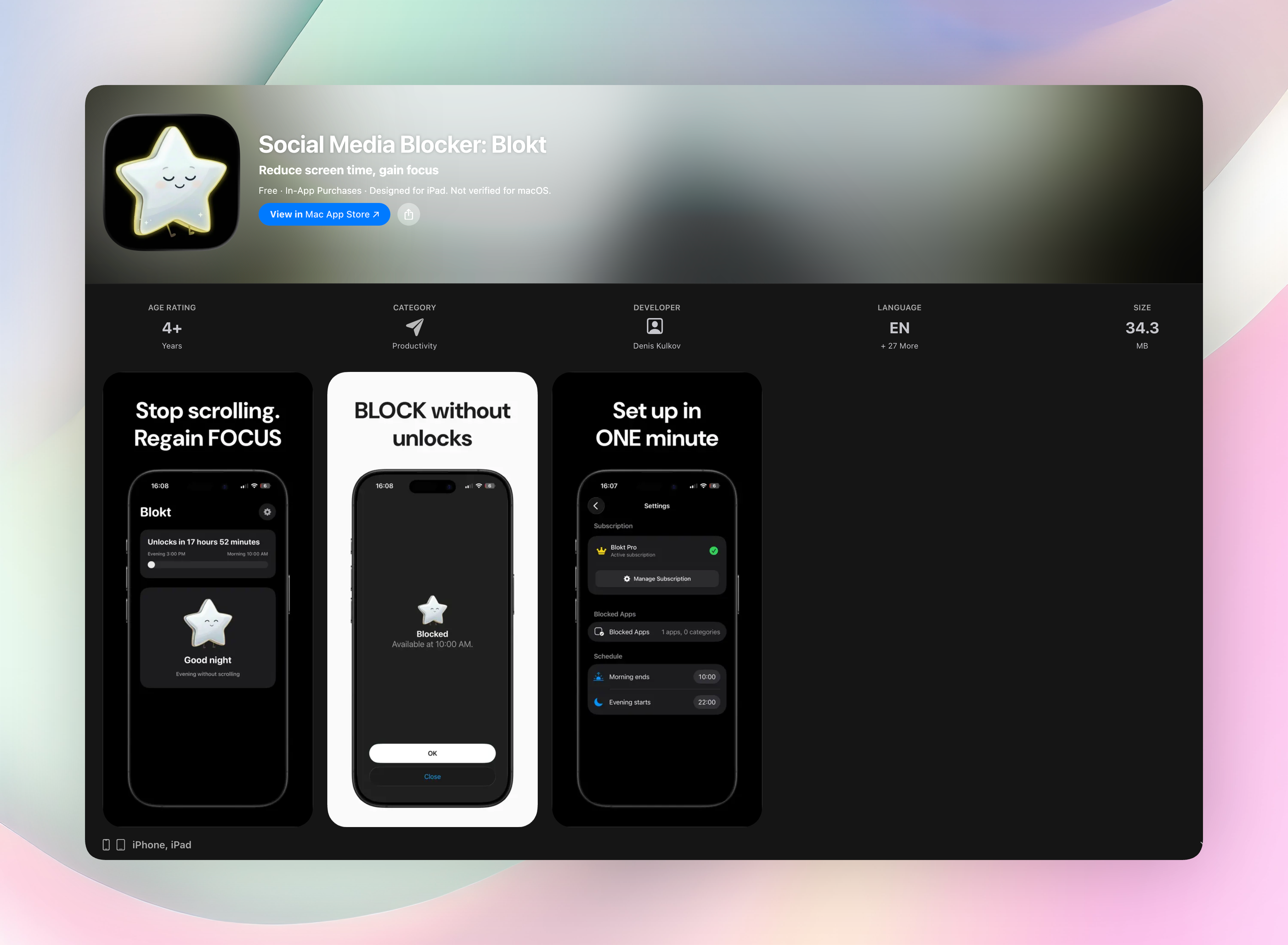
Social Media Blocker interrupts the open reflex with a customizable block screen that appears before social apps load. Instead of a simple delay, it gives you a one‑tap “Ignore” bypass that self‑destructs after a few seconds. You have to be intentional, or the option vanishes. The clean iOS‑only design runs entirely on your device, no accounts or data collection.
The standout is the time‑decay bypass. The longer you hesitate on the block screen, the harder it becomes to skip. That tiny friction rewires the impulse to open Instagram or TikTok, making “not right now” the default.
- Set your own morning and evening block windows
- Choose exactly which apps or categories to block
- Time‑decay bypass increases friction the longer you wait
- One‑tap Ignore button disappears fast, forcing a deliberate choice
- No accounts, no data collection, no ads
Get Social Media Blocker or find it directly: Social Media Blocker on the App Store
2. ScreenZen
Best for: A fully free, highly customizable delay screen on Android.
ScreenZen mirrors one sec’s core mechanic, a pause screen, but gives you more control. You set the length of the delay, add a short note to remind yourself why you want to skip the app, and even stack multiple prompts. Per‑app limits and scheduled restrictions keep heavy‑use windows in check. Everything is free, with no ads. The ability to layer questions (“Do you really need Instagram right now?” then “What would you do instead?”) makes it feel like a tiny coach, not just a speed bump.
3. FlowBuddy
Best for: iOS users who want escalating difficulty and social accountability.
FlowBuddy ratchets up the friction based on your usage. When you try to open a blocked app, you might need to shake your phone or type a phrase, and it gets harder if you’ve already binged today. The buddy system shares your progress with a partner, adding a side of social pressure that’s surprisingly effective. Unlimited blocking is completely free, with no subscription paywall hiding the good features. It’s the pick when you know you need more than a gentle tap on the wrist.
4. Dull
Best for: Changing what you see inside social apps, not just delaying the open.
Dull takes a different approach: it opens platforms like Instagram in a stripped browser that automatically removes Reels, Shorts, and algorithmic‑feed elements. The app itself isn’t blocked; it just becomes boring. Adding this filter can be more effective than a delay screen if your real problem is the pull of infinite scroll once you’re inside. It’s purposefully boring, leaving you with only the parts of the app you intended to check.
5. Habit Doom
Best for: People who need to complete real‑life tasks before any scrolling.
Habit Doom locks your distracting apps behind a completed habit list. You can’t open Instagram until you’ve checked off your morning routine, reading goal, or workout. The enforcement is strict, with few workarounds, so the guilt of skipping your habits actually works in your favor. The “doom loop” blocker ties access directly to habit completion: no habits checked, no feed. It’s a hard‑line tool for mornings and deep‑work blocks when casual reminders aren’t enough.
6. Freedom
Best for: Strict, cross‑device blocking across iOS, Android, and desktop simultaneously.
Freedom starts a block session on all your devices at once with synced blocklists. If you’re prone to switching from phone to laptop when social media is off limits, this removes that escape route. The locked mode prevents you from ending the session early, even if you delete the app. It’s the only entry on this list that truly syncs multiple platforms, making it a strong choice for deep‑focus sessions when you can’t afford to cheat.
7. Regain
Best for: An Android‑based mindful coach that discourages doomscrolling for free.
Regain swaps the typical delay screen for gentle nudges and usage insights. Before you open a social app, you get a short snippet that reframes the impulse, maybe a question about your intention or a reminder of how much time you spent there yesterday. It’s a completely free alternative to one sec with no upsells, so you can train yourself to pause without spending a dime. The coach‑like snippets feel less like a barrier and more like a conversation with your calmer self.
8. BePresent
Best for: iOS users motivated by friendly competition and leaderboards.
BePresent turns screen time reduction into a game. You earn points for staying off your phone, join a friend group, and chase the top spot on real‑time leaderboards. Screen time streaks and challenges make the effort feel like a shared challenge rather than a solitary chore. If you respond to social accountability better than internal discipline, the gamification layer can flip the switch. It’s free, though advanced groups may require a small upgrade.
9. unhookd
Best for: An automatic 24/7 block that only lifts during short scheduled windows.
unhookd keeps social apps locked by default. You set a narrow time slot, say 7–8 p.m., and the apps only become accessible during that window. There’s no bypass, no Ignore button, no way to “just check quickly” outside of your approved time. This removes willpower from the equation entirely, because the decision was already made. If you need black‑and‑white rules and a schedule you can’t wiggle out of, unhookd delivers exactly that.
How we picked these apps
We tested over 15 apps that add friction, delay, or content filters to social media. Every app here had to reliably introduce a pause before opening, offer a free tier or full free access, and run smoothly on current operating systems. We prioritized tools that mimic one sec’s core promise, an intentional pause, but also looked for fresh approaches like content filtering, gamification, and buddy accountability. Apps that were buggy, unmaintained, or buried their key feature behind an aggressive paywall didn’t make the cut.
Frequently asked questions
What is one sec and why switch?
One sec is a delay‑screen app that forces you to pause before opening social media. People look for alternatives when they want more customization, a free option, or features like cross‑device blocking and content filters that the original doesn’t offer.
Are these one sec alternatives free?
Many are. Social Media Blocker, ScreenZen, FlowBuddy, Dull, Habit Doom, Regain, BePresent, and unhookd all offer full functionality for free or with optional tips. Freedom is a paid subscription, justified by its multi‑platform sync.
Which is best for strict blocking?
For a hard block that leaves no room for second‑guessing, Freedom (cross‑device locked mode) and unhookd (scheduled windows with no bypass) are the most rigid. If you prefer a sharp but humane barrier, Social Media Blocker’s disappearing bypass hits the sweet spot.
The verdict
The right alternative depends on your platform and how much friction you’ll actually tolerate. For an instant, no‑fuss “not right now” barrier that kills the habit loop without feeling punishing, Social Media Blocker wins. It’s the simplest, most direct replacement for one sec, with a unique time‑decay bypass that makes mindless opens far less likely. Grab it and set your first block windows in under two minutes.
Free Blokt tools
- Phone Addiction TestEstimate how much friction your phone habits create using time, pickups, cut-down attempts, and delayed sleep. See every factor behind your score.
- Social Media Addiction TestReflect on social-feed habits with an original, browser-based score and separate time-control, checking, and interference factors.