
Best 9 Blocksite Alternatives in 2026: Your Guide to Distraction-Free Focus
If you’re looking for blocksite alternatives, Social Media Blocker: Blokt is our top pick. It’s a gentle “not right now” barrier that interrupts mindless scrolling without locking you out. This list covers eight other solid options, each taking a different approach, from gamified focus to location‑aware blocking.
Quick comparison table
| App | Best for | Platform | Standout feature |
|---|---|---|---|
| Social Media Blocker: Blokt | A quick pause before social apps | iOS | Instant “not right now” friction screen |
| Freedom | Multi‑device focus sessions | iOS, Android, Mac, Windows | Synced blocking across all devices |
| AppBlock | Context‑aware blocking | iOS, Android | Triggers by time, location, or Wi‑Fi |
| Opal | iPhone deep blocking with Screen Time | iOS | Hard‑to‑bypass Deep Focus mode |
| TaskGate | Swapping impulsive opens with micro‑tasks | iOS, Android | Privacy‑first task gate before apps load |
| One Sec | Adding breathing room before apps | iOS, Android | Deep‑breath prompt that breaks autopilot |
| Forest | Gamified focus with real‑world impact | iOS, Android | Virtual tree grows while you stay off apps |
| Stay Focused | Custom daily limits and lock‑ins | iOS, Android | Self‑control mode prevents mid‑session changes |
| Lock Me Out | Hard‑core automated block‑outs | Android | Recurring lockouts and location triggers |
1. Social Media Blocker: Blokt
Best for: Interrupting social media loops without feeling punished.
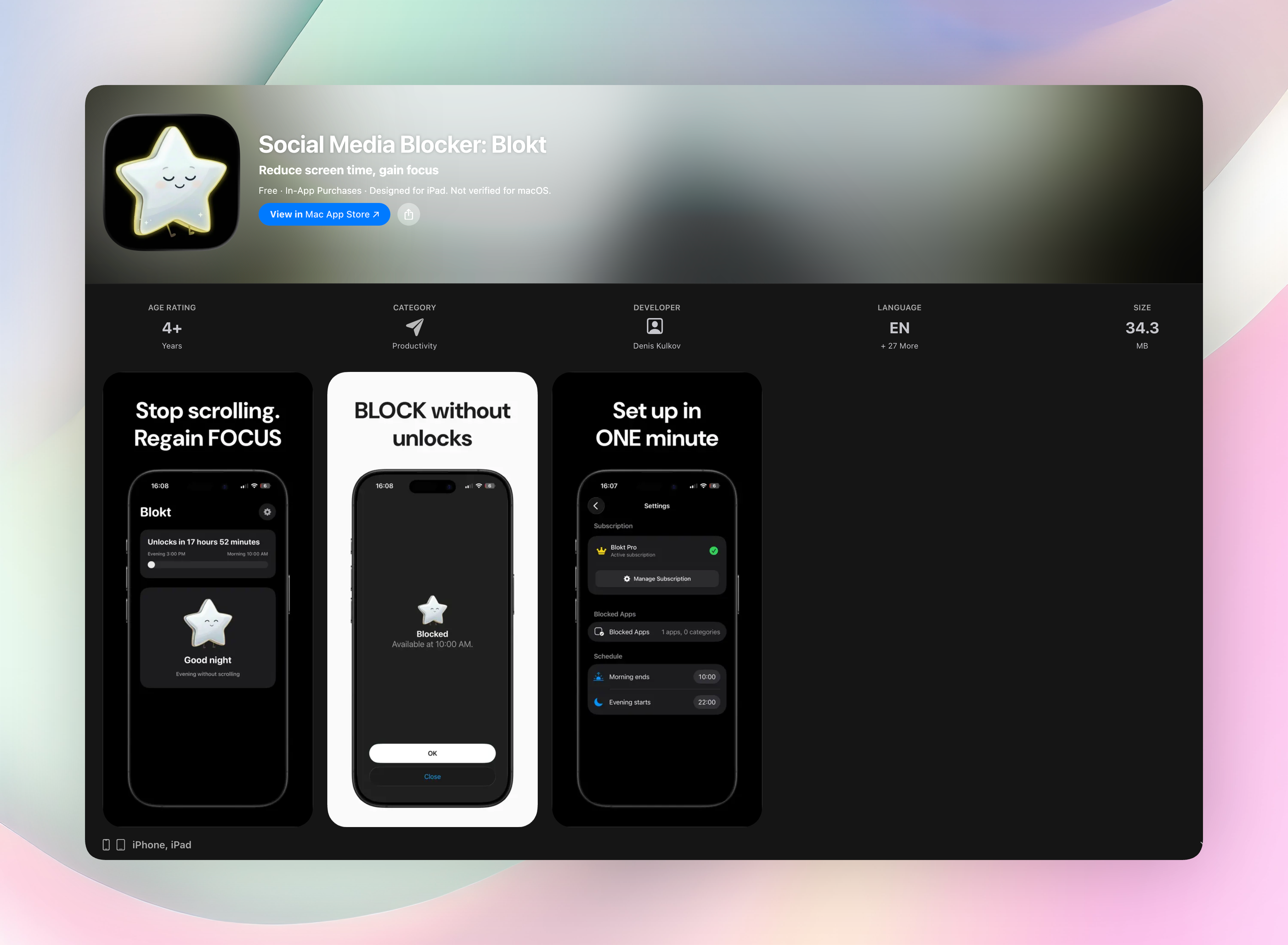
Blokt is our top blocksite alternative because it sits right between you and your habit, not as a jailer, but as a quick check on impulse. When you try to open a blocked app, a clean screen appears and asks if you really need in. That tiny pause is often enough to stop a mindless open.
Why we like it:
- “Not right now” friction: A short pause screen, not a hard lockout. You can still get in if you choose to.
- No accounts, no data collection: Everything stays on your device. Setup takes under two minutes.
- Morning and evening windows: Block social apps during the hours you want to protect.
- Clean iOS design: Works smoothly with the apps and categories you select.
Blokt respects your privacy, doesn’t try to gamify your attention, and never asks for an account. If you truly need access, a simple override is there. It’s a thoughtful, lightweight alternative to apps that treat you like you can’t be trusted.
Get Social Media Blocker · Social Media Blocker on the App Store
2. Freedom
Best for: Multi‑device focus sessions.
Freedom blocks websites, apps, or even the entire internet across Windows, Mac, iOS, and Android at the same time. Start a session on your laptop and it automatically kicks in on your phone. No need to set up each device separately. That synchronized blocking is what sets it apart from most blocksite alternatives. You decide which distractions to ban, schedule recurring sessions, and lock yourself out until the timer ends. It’s a straightforward, system‑level tool that treats focus like a whole‑house project rather than a phone‑only fix.
3. AppBlock
Best for: Context‑aware blocking based on time, location, or Wi‑Fi.
AppBlock lets you build profiles that activate automatically. Arrive at work and your social apps lock; connect to home Wi‑Fi and entertainment sites go dark. The triggers feel natural, so you don’t have to remember to flip a switch. Its Strict Mode is the real standout. Once enabled, bypassing a block mid‑session becomes genuinely difficult, which helps when you’re fighting a strong urge. For Android and iOS users who want their blocks to follow their real‑life routines, this is one of the most adaptable blocksite alternatives available.
4. Opal
Best for: iPhone users who want deep Apple Screen Time integration.
Opal taps directly into the official Screen Time API, which means blocks feel baked into the system rather than tacked on. You get polished progress visuals that show your focus streaks and deep analysis of your habits. Deep Focus mode is the headliner: once it’s running, disabling the block requires a series of intentional, almost frustrating steps, and you can set it for hours at a time. It’s hard to bypass on purpose, which is exactly the point. If you’re on an iPhone and need serious restriction, Opal is a heavyweight among blocksite alternatives.
5. TaskGate
Best for: Swapping impulsive app opens with a short productive task.
TaskGate doesn’t just block. It redirects. Before your social app loads, you’ll face a quick challenge: a breathing exercise, a flashcard, or even a couple of push‑ups. The design is privacy‑first, with no tracking, so you’re not trading your data for focus. By inserting a tiny productive moment where the impulse lives, it retrains your automatic tap‑to‑open reflex. It’s one of the more clever blocksite alternatives for people who want to replace a bad habit with something useful instead of staring at a locked screen.
6. One Sec
Best for: Adding intentional breathing room before apps.
One Sec forces a deep‑breath prompt and a short wait before opening any distracting app you’ve tagged. That deliberate pause breaks the autopilot loop that makes social media so sticky. You can set custom time intervals for the breathing screen, and the app provides detailed usage reports that show how often you turned away. Over time, the data makes the behavioral shift visible. For those who find hard blocks too aggressive, One Sec is a gentle, effective blocksite alternative that still respects your autonomy.
7. Forest
Best for: Visual, gamified focus that rewards staying off blocked sites.
Forest plants a virtual tree when you start a session. The tree grows as long as you don’t leave the app to check any blocked sites or apps; leave and it withers. It’s a simple, emotional lever. Most people don’t want to kill a tree, even a digital one. There’s a real‑world twist too: the app partners with a tree‑planting organization, so your focus sessions can turn into actual saplings. Among blocksite alternatives, Forest stands out for turning restraint into a small, satisfying game.
8. Stay Focused
Best for: Customizable daily limits and self‑control lock‑ins.
Stay Focused lets you set per‑app time caps, block specific websites, and view detailed usage reports. The self‑control mode is the part that makes it stick: once you lock a limit for the day, you can’t edit it until the timer resets. That prevents the classic “just five more minutes” negotiation. It’s a no‑nonsense, no‑frills tool that works across both iOS and Android. If you want a blocksite alternative that feels more like a utility than a lifestyle app, Stay Focused fits that brief.
9. Lock Me Out
Best for: Android users who want hard‑core automated block‑outs.
Lock Me Out is built for Android and doesn’t play around. Set recurring lockout schedules, say, 9 a.m. to 5 p.m. every weekday, or trigger blocks by your location. It also filters websites alongside apps. Password‑protected enforcement and detailed stats make accidental bypass tricky, and the scheduling tools mean you can set and forget your digital boundaries. For anyone on Android looking for one of the most forceful blocksite alternatives, this is the one that treats a locked door like a locked door.
How we picked these apps
We installed and tried each app ourselves, checking how well they actually blocked access, not just how many features they listed. A crucial test was how hard each one was to bypass during a craving spike. We also looked for a mix of cross‑platform availability and unique friction methods, because a blanket hard block isn’t right for everyone. Finally, we weighed real user reviews and update frequency. Apps that hadn’t been touched in a year didn’t make the cut, even if they looked good on paper. These are blocksite alternatives we’d honestly recommend to a friend.
Frequently asked questions
What’s the difference between a website blocker and an app blocker?
A website blocker restricts specific URLs or domains, usually through a browser extension or VPN‑style filtering. An app blocker targets mobile applications directly, preventing them from opening on your phone. Many blocksite alternatives do both, but it’s worth checking platform support before choosing.
Can I use these to block just a few specific social media sites on my phone?
Yes. Most of these tools let you pick exactly which apps or sites to block. On iOS, app blocking often relies on Screen Time integrations; on Android, you can get more system‑level control. If you only want to block Instagram and TikTok while leaving other apps alone, that’s usually just a settings toggle away.
Will these apps work if I’m tech‑savvy enough to disable them?
Several offer Strict Modes, Deep Focus, or password‑locked enforcement that make disabling the block deliberately difficult. While no software is 100% unbreakable, apps like Opal, AppBlock, and Lock Me Out add enough friction that you’re likely to think twice before going through the undo process, and that pause is often enough.
The verdict
Social Media Blocker: Blokt remains our top blocksite alternative because it adds just enough friction without turning your phone into a fortress. The one‑tap “not right now” screen respects your autonomy while cutting mindless opens. It’s private, dead simple to set up, and never feels punitive. If you want a quick, honest way to question the impulse before you scroll, try Blokt first. Get Social Media Blocker
Free Blokt tools
- Phone Addiction TestEstimate how much friction your phone habits create using time, pickups, cut-down attempts, and delayed sleep. See every factor behind your score.
- Social Media Addiction TestReflect on social-feed habits with an original, browser-based score and separate time-control, checking, and interference factors.