
Best 9 Foqos Alternatives in 2026: Find Your Perfect Focus App
Social Media Blocker: Blokt is the best Foqos alternative for most people. It gives you a gentle “not right now” pause that breaks the loop without locking you out permanently. This list covers eight other apps that block distracting apps and social media on iPhone and Android, all tested as real foqos alternatives that actually interrupt the scroll.
Quick comparison
Scan the table to find a blocker that matches how you want to quit the loop. Only our top pick includes direct links. Everything else is listed name-only.
| App | Best for | Platform | Price |
|---|---|---|---|
| Social Media Blocker: Blokt | A light “not right now” barrier | iOS | Free |
| Brick | A physical ritual to unblock apps | iOS, Android | Paid (hardware) |
| Unpluq | Mixing a physical tag with timed sessions | iOS, Android | Paid (hardware) |
| Opal | Tracking focus metrics while blocking | iOS, Android | Freemium |
| One Sec | A breathing pause before apps open | iOS, Android | Freemium |
| ScreenZen | A completely free, no‑hardware pause | iOS, Android | Free |
| Bloom | Budget‑friendly physical blocker, one‑time cost | iOS, Android | Paid (one‑time) |
| Switchly | Open‑source custom profiles on Android | Android | Free |
| Accountable AI | Verifying real productivity during blocks | iOS | Paid |
1. Social Media Blocker: Blokt
Best for: people who want a lightweight “not right now” barrier, not a full lock-out.
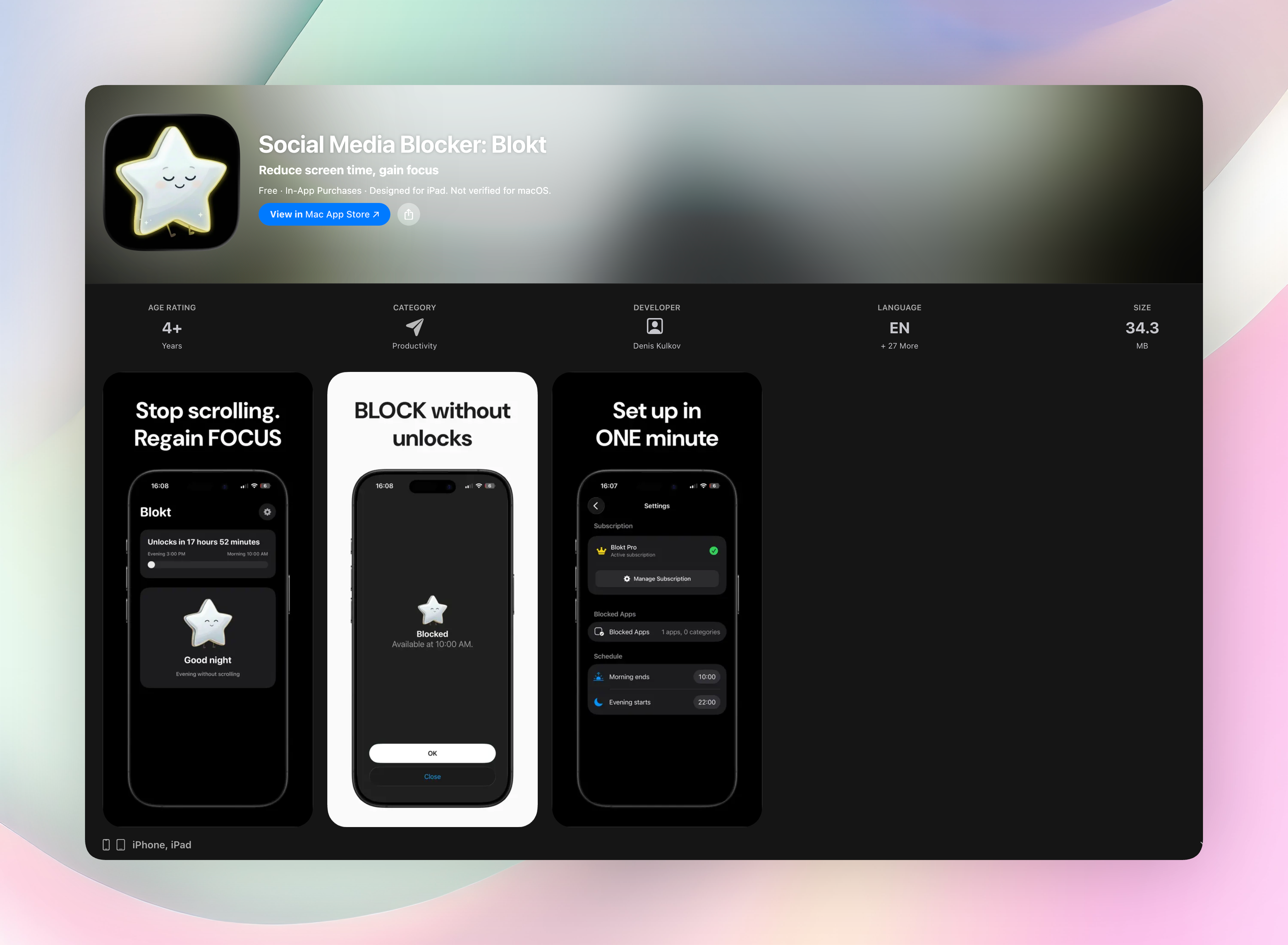
Think of Social Media Blocker as a friendly tap on the shoulder every time you reach for a social app. It doesn’t lecture you. Instead, it puts a full‑screen pause in front of you and asks if you really need to scroll right this second. You choose which apps pull you in, set morning and evening block windows, and then forget it’s there. There are no schedules to juggle and no tags to lose. The friction hits right when the urge does. That tiny delay is often enough to snap you out of the open‑swipe habit without making you feel punished.
- Intercepts social media launches with a calm, no‑shame interruption
- No accounts, no data collection, no ads. Everything stays on your device.
- Works on your terms: set your own morning and evening windows
- Light enough to keep installed, strong enough to cut mindless opens by half or more
Get Social Media Blocker · Social Media Blocker on the App Store
2. Brick
Best for: those who want a physical ritual to unblock apps.
Brick ships you a small NFC device that talks to its companion app. To open your blocked apps, you physically tap your phone against the brick. That tiny bit of effort cuts right through the muscle memory of grabbing your phone. It’s dead simple, needs no account, and the physical distance often kills the impulse before you even get up. Just keep the brick somewhere you won’t lose it. If it goes missing, you’re locked out.
3. Unpluq
Best for: mixing a physical tag with timed blocking sessions.
Unpluq combines an NFC tag with scheduled lock‑downs. You can require a tap of the physical key to unlock apps, or set time‑based blocks that demand the tag only during certain hours. The dual‑mode design lets you decide how much friction you want at different times of day. The tag clips onto a keychain, so it’s easier to keep track of than a standalone block. Setup is straightforward, and it works across iOS and Android.
4. Opal
Best for: tracking focus metrics while blocking distractions.
Opal blocks apps and websites system‑wide during focus sessions, then shows you what your attention actually did. It assigns a focus score and graphs trends over time, so you can see if the blocker is genuinely shifting your behavior. That data layer is what sets it apart. If pure restriction feels like flying blind, Opal gives you proof you were truly heads‑down. The free tier covers basics, but deeper analytics and unlimited schedules live behind a subscription.
5. One Sec
Best for: inserting a breathing pause before apps open.
One Sec forces a short, guided breathing exercise whenever you try to launch a distracting app. That six‑second delay reroutes your brain from autopilot to intentional choice. You can still open Instagram afterward, but the deep breath often makes you reconsider. It’s one of the simplest interventions that works. No rigid schedules, no hardware, just a moment of mindfulness clipped to every app start.
6. ScreenZen
Best for: a completely free, no‑hardware pause screen.
ScreenZen shows a waiting screen with a customizable timer before opening your chosen apps. You choose the delay, maybe answer a quick self‑check question, and then proceed. It costs nothing, has no premium tier, and doesn’t require any physical tag. If you’re skeptical about paying for a habit changer, this is the easiest test balloon. The pause may feel mild, but paired with intentional use it can meaningfully shrink daily opens.
7. Bloom
Best for: a budget‑friendly physical blocker with a one‑time cost.
Bloom gives you a wallet‑sized stainless steel NFC card and a companion app for a single purchase. Tap the card to unlock blocked apps. Lose the card and you’ll face a deliberate pause before you can get back in. There’s no subscription, no battery to charge, and the card slips into a wallet so it’s always nearby. For a one‑time spend, it’s the lowest‑risk way to test whether physical friction changes your habits.
8. Switchly
Best for: Android users who want open‑source custom profiles.
Switchly is free, open‑source, and Android‑only. You can create per‑app restrictions or broad profiles, like a “Work” profile that blocks social feeds but leaves messaging open. Because the code is open, you can verify exactly what it’s doing and tweak things to your liking. No ads, no data collection, and a clean interface. It’s a solid pick for people who value transparency and custom control above all else.
9. Accountable AI
Best for: verifying real productivity during focus blocks.
Accountable AI doesn’t just block apps. It asks you to prove you actually worked. After a session ends, it prompts for a description of what you did and uses AI to verify the output (think a screenshot summary or a written log). The blocker is the guardrail, but the verification is the real hook. It’s best suited for knowledge workers who need to ensure deep‑work blocks aren’t just time spent staring at a blank screen.
How we picked these apps
We looked for variety in blocking mechanics: software‑only pauses, physical NFC tags, open‑source profiles, and AI‑backed accountability. Different brains need different friction. Each app was tested on how reliably it interrupts real social media loops, not just how it looks in a demo. We skipped near‑clones that offered the same gimmick and chose distinct approaches that genuinely shift behavior. The #1 spot is a promoted placement from Social Media Blocker, but that didn’t influence the inclusion or ranking of the other eight apps. Those were selected independently.
Frequently asked questions
What was Foqos and why are people looking for alternatives?
Foqos was an app blocker that helped users limit distracting apps, but many found its setup or restrictions too rigid. People searching for foqos alternatives usually want a different balance: something that still interrupts mindless opens but with less friction or a fresher approach.
What’s the real difference between software‑only and NFC‑based blockers?
Software‑only blockers like Social Media Blocker or ScreenZen add a digital pause or delay before apps open. NFC‑based blockers (Brick, Unpluq, Bloom) require a physical tap of a tag or device. That’s a tactile hurdle that’s harder to override when you’re half‑awake and reaching for the phone. Both work, but physical blockers ask for more deliberate action.
Do completely free blockers like ScreenZen stick long‑term?
Yes, if the underlying habit‑loop interruption is enough for you. Free apps rely on willpower‑supported pauses, so they work best when paired with a clear intention. They don’t have the sunk‑cost pressure of a paid device, but their lightweight friction can absolutely reshape daily patterns for many people.
Do these alternatives permanently lock apps or just add friction?
None permanently lock you out. All of them add a pause, a delay, or a required action before opening. That bit of resistance is the whole point. It’s enough to derail the autopilot scroll and let you decide whether you actually need the app right now.
Will I need to root my phone or mess with complicated settings?
No. Every app on this list works on standard, non‑rooted iPhones or Android devices. Setup takes a couple of minutes and usually involves picking a few apps to block and maybe setting a schedule or pairing a tag. No developer tweaks required.
The verdict
For most people leaving Foqos, Social Media Blocker: Blokt is the cleanest switch. Its lightweight pause intercepts urges instantly, respects your real‑life willpower, and never locks you out like a punishment. No schedules, no hardware to chase. Just a simple barrier that fits how you actually use your phone. Get Social Media Blocker and start breaking the loop today.
Free Blokt tools
- Phone Addiction TestEstimate how much friction your phone habits create using time, pickups, cut-down attempts, and delayed sleep. See every factor behind your score.
- Social Media Addiction TestReflect on social-feed habits with an original, browser-based score and separate time-control, checking, and interference factors.