
Best 9 Glosso Alternatives in 2026: Reclaim Your Focus Today
Introduction
Social Media Blocker: Blokt is the best Glosso alternative for most people. Below, you’ll find nine tools that add intentional friction to your screen time, from polite pause screens to hardcore lockouts. No hype, just the apps that actually worked in our tests.
Quick comparison table
Here’s a side-by-side look at how each app creates friction and where they run.
| App | Best for | Platform | Key mechanism | Price |
|---|---|---|---|---|
| ★ Social Media Blocker: Blokt | A “not right now” barrier | iOS | One-tap, time‑based blocking with no workarounds | Free |
| Freedom | Cross‑device focus sessions | iOS, Android | Simultaneous blocks on all devices | Paid |
| AppBlock | Set‑and‑forget scheduling | iOS, Android | Strict rules and uninstall prevention | Freemium |
| ScreenZen | Gentle, mindful pauses | iOS, Android | Forced delay before app opens | Free |
| one sec | Breathing‑based micro‑interventions | iOS, Android | Deep breath prompt to break autopilot | Freemium |
| Opal | Gamified screen‑time management | iOS, Android | Focus scores and group sessions | Freemium |
| Walkaway: Screen Time Blocker | Health‑conscious movement | iOS | Unlock apps by walking physical steps | Paid |
| Yohaku: App Blocker & Limit | Habit tracking + blocking | iOS | Deep‑work timer and routine builder | Freemium |
| Downtime: Focus App Blocker | Simple recurring schedules | iOS | Timer‑based app and website blocks | Freemium |
1. Social Media Blocker: Blokt
Best for: putting one tap between you and a doomscroll, no countdowns, no pity unlocks.
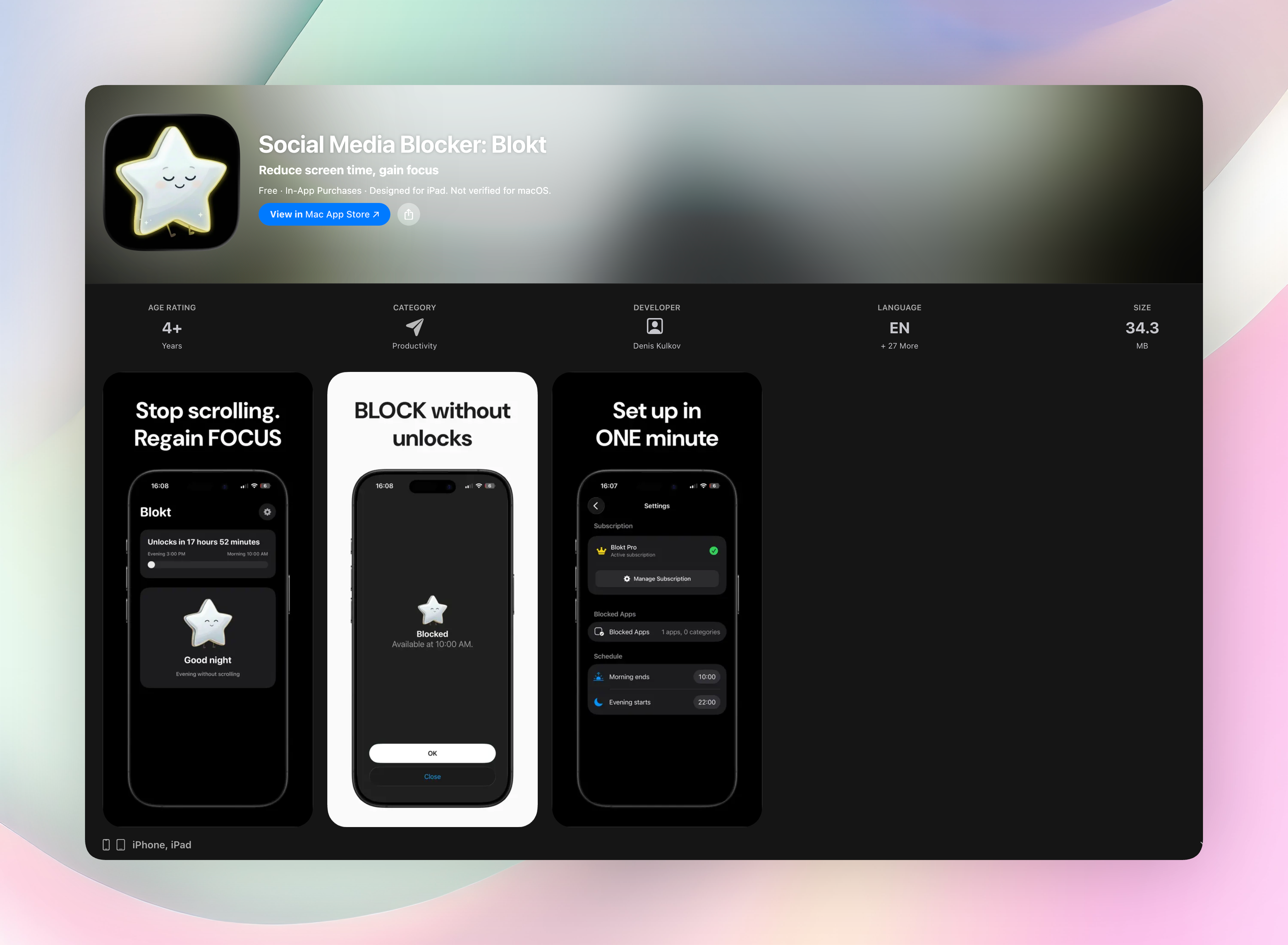
Blokt doesn’t lock you out of social media forever. It gives you a “not right now” barrier that feels like a friend holding your phone for safe keeping. You set your morning and evening block windows, choose the apps or categories you want to keep off‑limits, and Blokt enforces the boundary without negotiation. There are no timers to stare at, no “snooze for 1 minute” trapdoors. The interface is brutally simple: two minutes to set up, zero accounts, zero data collection, and zero ads. Everything runs on your device.
It’s iOS‑only, so you won’t sync blocks with your Mac or iPad. That’s a fair trade for an app that does one job and does it fast: interrupting the “just one more scroll” loop. We couldn’t find anything quicker in our tests.
- One‑tap block that kills the dopamine loop instantly
- Time‑based windows (morning/evening) for your weakest moments
- No sign‑ups, no cloud dependency, no privacy overhead
- Fast, unskippable enforcement that won’t let you weasel out
Get Social Media Blocker
Social Media Blocker on the App Store
2. Freedom
Best for: cross‑device blocking with zero wiggle room.
Freedom syncs a single block session across your phone, tablet, and desktop. Start a focus window and the same distracting apps and websites get locked everywhere at once. The enforcement is strict: you can’t kill the process or uninstall to cheat. Freedom is the power‑user pick if you need deep work across multiple screens and don’t mind paying for a premium tool. Setup takes a few minutes. Once it’s running, you’re free from yourself.
3. AppBlock
Best for: scheduling recurring blocks that survive your sneaky workarounds.
AppBlock lets you build set‑and‑forget rules for apps and websites. You can block Instagram every weekday from 9 to 5, then enforce a strict mode that stops you from uninstalling the blocker mid‑session. It covers both iOS and Android, and the scheduler runs quietly in the background. If you want a digital guardrail that works on your terms without needing to remember to activate it, this is the one.
4. ScreenZen
Best for: a polite pause that interrupts mindless tapping.
ScreenZen doesn’t lock you out. It adds a delay screen every time you try to open a distracting app. You wait a few seconds, see how many times you’ve opened that app today, and then decide whether to go ahead. That tiny speed bump is often enough to derail autopilot scrolling. It’s ideal for people who hate full lockouts but still want a nudge toward better habits. Free, no ads, and surprisingly effective for something so gentle.
5. one sec
Best for: a breathing exercise that hijacks instant‑gratification loops.
one sec forces you to take a deep breath before launching social media or messaging apps. That micro‑moment of awareness interrupts the trigger‑response cycle that keeps you scrolling. Over time, the app rewires your impulse rather than just blocking time. Setup is lightweight: link it to your target apps, then let the breathing prompt handle the rest. A free tier covers core apps, with a Pro upgrade for unlimited shortcuts.
6. Opal
Best for: turning screen‑time management into a team sport.
Opal wraps blocking around gamification, focus scores, and social accountability. You join focus sessions with friends, compare deep‑work streaks, and see analytics on your screen habits. The blocking itself is solid, but what really draws people in is the community and data‑nerd appeal. If you respond well to public commitment and want an all‑in‑one dashboard for your digital wellness, Opal fits right in. The full experience requires a subscription.
7. Walkaway: Screen Time Blocker
Best for: forcing movement before you can open TikTok.
Walkaway trades scrolling for steps. When you try to launch a blocked app, it asks you to walk a set number of steps first. No steps, no Instagram. It’s a health‑conscious alternative that swaps sedentary screen time for physical movement, however brief. iOS‑only and definitely niche, but if you need a tangible, off‑the‑couch hurdle, this one delivers. The step count is configurable, and the concept sidesteps willpower entirely.
8. Yohaku: App Blocker & Limit
Best for: building positive routines while blocking distractions.
Yohaku pairs app blocking with a habit tracker so you limit screen time and start building better daily rituals. You can set deep‑work timers, blacklist social media, and quantify the hours you reclaim. The dual focus on blocking and positive replacement makes it feel less like a digital prison and more like a structure for your day. It’s iOS‑only and offers a clean interface for those who want a combined blocker and habit coach.
9. Downtime: Focus App Blocker
Best for: simple, recurring focus schedules with no extra fluff.
Downtime blocks both websites and apps on a repeating timer. Set a work block from 9 to 11, and it activates every weekday without you thinking about it. The interface is straightforward: pick the apps, set the schedule, and forget it. It’s the digital equivalent of putting a “do not disturb” sign on your phone. Downtime is iOS‑only, free to start with an optional upgrade. Perfect if all you want is a no‑nonsense scheduler.
How we picked these apps
We tested blockers that replace the Glosso approach — adding intentional friction to compulsive social media use, not just hiding apps behind a PIN. Our criteria: how quickly a block kicks in, how hard it is to bypass, which platforms are supported, and whether the app nudges you toward better habits or just cages your impulses. We favoured tools that disrupt the trigger‑response loop itself, because a lockout you can ignore tomorrow doesn’t actually change anything.
Frequently asked questions
What is Glosso, and why look for alternatives?
Glosso was a screen‑time app that used gentle friction to curb social media use. It’s no longer actively supported and lacked features like cross‑device syncing or strict scheduling. People search for Glosso alternatives to find updated tools with similar deliberate‑pause mechanics or stronger enforcement.
Are these apps free or paid?
Social Media Blocker: Blokt is free with no ads or accounts. ScreenZen is fully free. Freedom and Walkaway are paid up front. AppBlock, one sec, Opal, Yohaku, and Downtime use a freemium model: basic blocking is free, and advanced features require a subscription or one‑time purchase.
Can I use multiple blockers at the same time?
It’s not recommended. Overlapping restrictions often clash with each other and with your phone’s built‑in focus modes, which can leave some apps unblocked or cause constant permission fights. Pick one primary tool and configure your OS settings to complement it.
The verdict
Social Media Blocker: Blokt is the standout pick when you need a quick, uncheatable barrier that actually sticks. It doesn’t overcomplicate things. Just set your weak‑spot windows and hit block. If you need a “not right now” button that works, grab Social Media Blocker here: Get Social Media Blocker
Free Blokt tools
- Phone Addiction TestEstimate how much friction your phone habits create using time, pickups, cut-down attempts, and delayed sleep. See every factor behind your score.
- Social Media Addiction TestReflect on social-feed habits with an original, browser-based score and separate time-control, checking, and interference factors.