
Best 8 Screenbuddy Alternatives in 2026: Apps to Reclaim Your Time
Looking for honest screenbuddy alternatives that actually help you stop scrolling? Social Media Blocker: Blokt is the best option right now — a simple “not right now” barrier that breaks the habit without overcomplicating things. Below are eight apps we tested to block social media, cut distractions, and build healthier phone routines when willpower alone falls short.
Quick comparison
| App | Best for | Platform | Price |
|---|---|---|---|
| Social Media Blocker | Instant friction pauses | iOS | Free |
| Opal | Scored focus sessions | iOS | Freemium |
| Forest | Gamified focus | Android | Paid |
| AppBlock | Strict mode locking | Android | Freemium |
| StayFree | Usage tracking | Android | Free |
| one sec | Breathing interrupt | iOS | Freemium |
| ScreenZen | Intentional opens | iOS | Free |
| Freedom | Multi-device blocking | iOS | Paid |
1. Social Media Blocker
Best for: a lightweight speed bump instead of a full lockout.
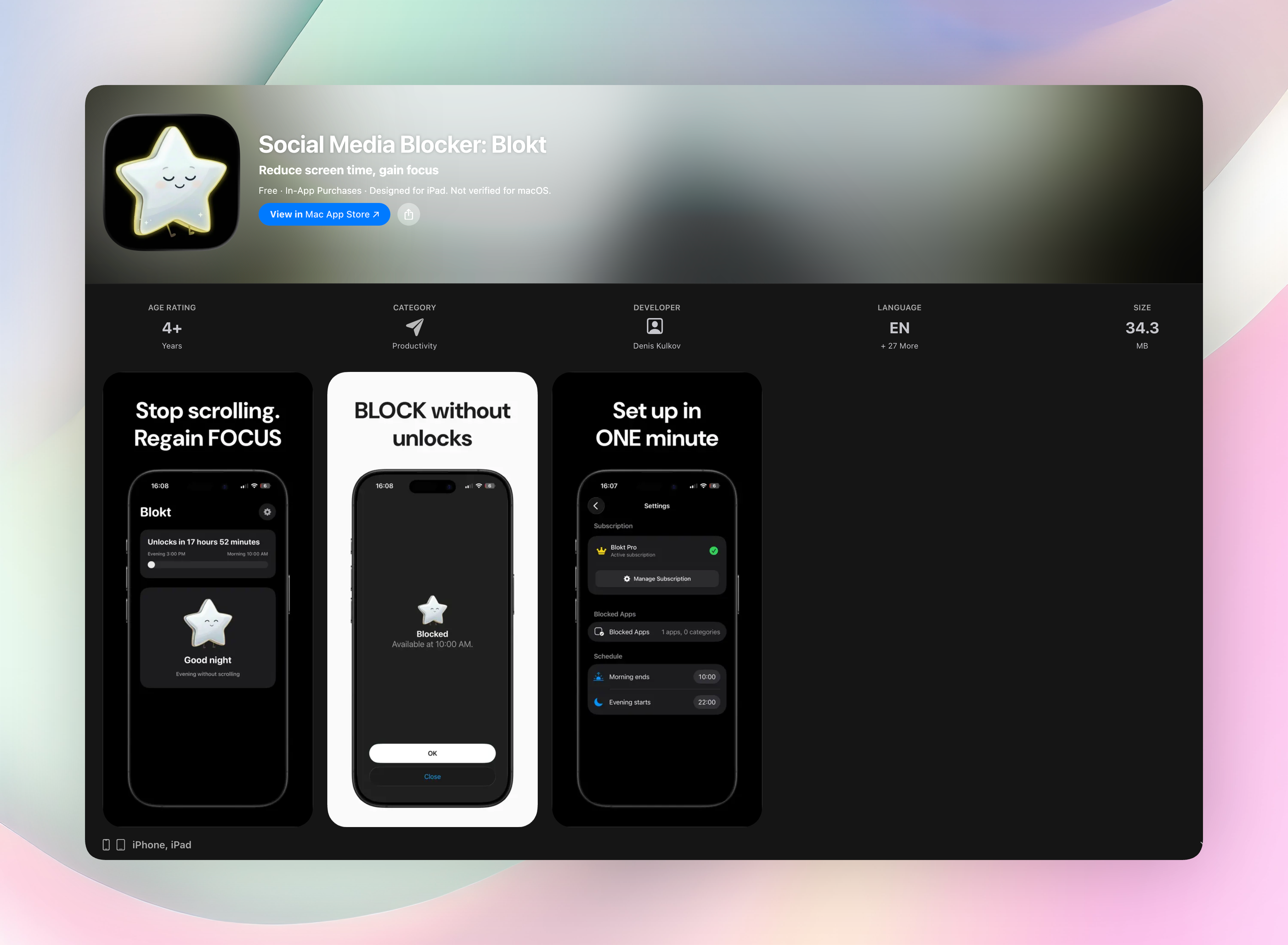
Social Media Blocker (Blokt) puts a deliberate pause between your impulse and the app. Instead of completely banning social media, it interrupts the automatic tap-and-scroll loop with a gentle “not right now” prompt. There are no complex schedules, no guilt-inducing timers, just a quick setup where you pick your blocked apps and define your morning and evening windows.
Everything runs on your device. No accounts, no data collection, no ads. The design is clean, and you’ll be up and running in under two minutes. If you found Screenbuddy tried to do too much, you’ll appreciate how this app strips things back to the single thing that works: a moment to reconsider.
Standout features:
- Set your own morning and evening block windows
- Choose exactly which apps and categories to pause
- Fully private — no sign-up, no tracking
- Instant setup with zero learning curve
Get Social Media Blocker · Social Media Blocker on the App Store
2. Opal
Best for: scored focus sessions that track progress.
Opal blocks apps and websites during set focus blocks on iOS. You pick the apps that distract you, then start a session — once it’s running, those apps stay locked. A focus score rates each day, which can turn your improvement into a subtle game. Scheduling flexibility makes it easy to set up focused work blocks or shorter bursts between meetings without overthinking the rules.
3. Forest
Best for: visual motivation through virtual tree growing.
Forest encourages focus by letting you plant a tree that slowly grows while you stay off your phone. Open a blocked app before the timer ends, and the tree withers. It’s a simple, guilt-based nudge that resonates with anyone who likes seeing visual progress. The app is a long-standing Android favorite and works well for short study or work sprints where you want the reward of a full forest.
4. AppBlock
Best for: strict mode enforcement on Android.
AppBlock temporarily blocks distracting apps and websites, with customizable profiles for work, study, or bedtime. Its standout feature is strict mode, which prevents you from disabling the block or uninstalling the app mid-session, helpful if you know you’ll try to cheat. It’s a hardline approach that works when softer nudges don’t.
5. StayFree
Best for: data-first habit awareness.
StayFree tracks screen time visually and sends over-use reminders as you hit self-imposed limits. It gives you detailed analytics: time per app, session frequency, and weekly breakdowns. For anyone who needs to see the raw numbers before changing their behavior, this is a strong place to start. The insights often reveal time sinks you didn’t realize existed.
6. one sec
Best for: a forced breathing pause before opening any target app.
one sec hijacks the launch of your chosen social media apps and inserts a deep-breath prompt. That short intentional gap targets unconscious muscle memory, so when your thumb opens Instagram automatically, the interruption makes you pause and decide. iOS integration and Shortcuts automations let you customize triggers, so you can build friction exactly where you need it most.
7. ScreenZen
Best for: building long-term intentional habits through prompts.
ScreenZen combines launch delays with limited daily opens. When you tap a social app, it steps in and asks something like “Is this really necessary right now?” It’s less about total lockout and more about reshaping reflexive behavior over weeks. That focus on intentionality makes it a good pick if you want shifts that last beyond a short detox.
8. Freedom
Best for: blocking across all your devices simultaneously.
Freedom lets you create custom blocklists and schedule focus sessions that sync across iPhone, iPad, Mac, and even Windows. It’s a powerful choice when you need deep uninterrupted stretches: start a session, and every device goes silent on the social front. This works well during crunch periods or when you don’t trust a single-device block to hold.
How we picked these apps
We prioritized tools that create real friction rather than just counting minutes. Each app was tested hands-on for blocking reliability, how easy it is to bypass, and overall user experience. We covered both iOS and Android so no one is left without a workable option. We skipped apps that bury basic features behind expensive subscriptions or bombard you with ads out of the gate.
Frequently asked questions
What is Screenbuddy and why look for alternatives?
Screenbuddy is a social media blocker that helps limit distracting apps. People search for alternatives to find a different feature set, a pricing model that fits, or compatibility with their device.
Are these apps free?
Most operate on a freemium model — essential blocking is often free, while premium tiers unlock advanced scheduling. Social Media Blocker: Blokt offers a straightforward free version without paywalls for core features.
Do these blockers work across Android and iOS?
Coverage varies. Some apps are iOS-only (like one sec and Opal), others Android-only (AppBlock, StayFree). Freedom works across multiple devices and platforms. Always check OS support before downloading.
Can I bypass the block if I really need to?
Strict modes in some apps make bypassing genuinely hard, but most include an emergency exit. The pauses built into one sec and Social Media Blocker are designed to be bypass-resistant without being completely ironclad, aiming to deter mindless opens, not lock you out in a crisis.
The verdict
Social Media Blocker: Blokt is our top recommendation for a no-fuss, immediate deterrent. Its “not right now” design works precisely because it’s lightweight. No complex schedules, no feature bloat, just a sensible pause that breaks the loop. If you want to stop the social media scroll without managing layers of rules, this is the one. Get Social Media Blocker for iOS.
Free Blokt tools
- Phone Addiction TestEstimate how much friction your phone habits create using time, pickups, cut-down attempts, and delayed sleep. See every factor behind your score.
- Social Media Addiction TestReflect on social-feed habits with an original, browser-based score and separate time-control, checking, and interference factors.