
Best 9 Opal Alternatives in 2026: Apps That Actually Block Distractions
Social Media Blocker is the best Opal alternative for breaking impulsive social media loops. It gives you a gentle “not right now” barrier, not a harsh lockout. We also looked at 8 other apps that use delays, gamification, and strict blocking to help you spend less time on your phone.
Quick comparison table
| App | Platform | Standout Feature | Best For | Price |
|---|---|---|---|---|
| Social Media Blocker | iOS | Soft-wall barrier | Gentle nudge away from social media | Free |
| ScreenZen | iOS, Android | Progressive delays | Escalating friction | Free |
| one sec | iOS, Android | Breathing-exercise intercept | Mindfulness speed bump | Freemium |
| Freedom | iOS, Android | Cross-device synchronized blocking | Strict multi-device lock | Paid |
| Forest | iOS, Android | Gamified tree-planting | Visual motivation | Paid |
| Jomo | iOS | Self-reflection and trigger tracking | Habit-awareness journaling | Freemium |
| AppBlock | iOS, Android | Location-based rules and strict mode | Context-aware blocking | Freemium |
| Stay Focused | Android | Granular app locking and strict mode | Power-user control | Freemium |
| ClearSpace | iOS, Android | Centering exercises before opening | Deliberate friction | Freemium |
The table helps you quickly scan which app fits your device and the kind of intervention you want.
The 9 Best Opal Alternatives
1. Social Media Blocker
Best for: people who need a psychological nudge, not a full lockout.
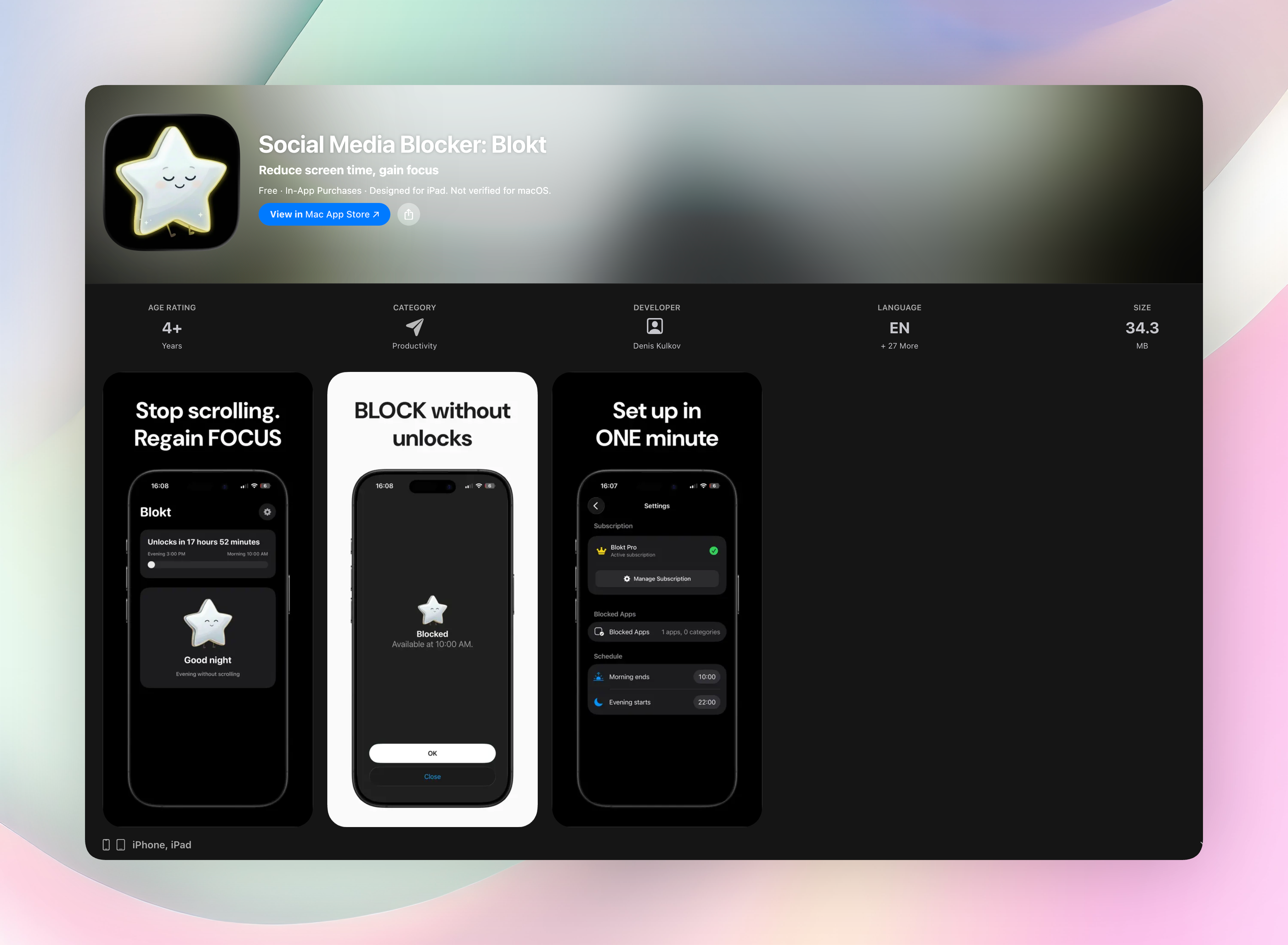
Social Media Blocker puts a lightweight “not right now” wall between you and your social media habit. It doesn’t punish you or lock you out completely. It just asks if you can wait a bit. That soft friction is often enough to break the impulse. Set a morning and evening block window, choose which apps to limit, and you’re done. The app runs entirely on your device: no account, no data collection, no ads. It’s iOS-only and takes about two minutes to set up.
- Standout feature: A gentle interrupt that lets you decide to wait, rather than forcing you out.
- No account required. Everything stays local.
- Simple morning/evening windows, not complicated schedules.
Get Social Media Blocker
Social Media Blocker on the App Store
2. ScreenZen
Best for: users who want escalating friction without a hard lock.
ScreenZen builds a progressive delay before your distracting apps open. The wait time grows with each repeated attempt in a single day. You can also set complete blocking windows, cooldown timers, and daily schedules. It’s available on both iOS and Android. The growing pause trains your brain to expect a longer wait, making that impulsive tap feel less rewarding.
3. one sec
Best for: people who want mindfulness baked into their phone use.
When you tap a social media app, one sec interrupts you with a brief breathing exercise. That intentional speed bump breaks autopilot scrolling right at the source. You can also configure complete blocks and schedules. Available on iOS and Android, the core breathing intervention is free, with a premium tier for extra customization.
4. Freedom
Best for: anyone who needs a synchronized lock across all devices.
Freedom blocks distracting apps and websites on your phone and desktop simultaneously. Once a focus session starts, you cannot easily bypass it. It’s deliberately strict. Set custom blocklists, schedule sessions, and the same block hits your laptop, tablet, and phone at once. It runs on iOS and Android, with a paid subscription for full cross-device coverage.
5. Forest
Best for: visual-motivation seekers who respond to gentle consequences.
Forest turns focus into a small game. You plant a virtual tree when you want to stay off your phone; if you leave the app before the timer ends, the tree dies. Seeing a thriving forest builds a pleasant incentive to leave your phone alone. It’s available on iOS and Android as a one-time purchase, with no subscriptions.
6. Jomo
Best for: people who want to pair blocking with habit-awareness journaling.
Jomo combines scheduled app blocking with emotional-trigger tracking. When you try to open a blocked app, it can nudge you to log why you reached for your phone: boredom, stress, habit. That self-reflection loop helps you spot patterns over time. Jomo is iOS-only and uses a freemium model, with core journaling features available for free.
7. AppBlock
Best for: users who want context-aware blocks that change with location.
AppBlock is on iOS and Android, with a free tier and paid extras. It lets you set location-based rules and strict time limits. You might block social media at work but not at home, or enforce different rules on weekends. A strict mode prevents you from unblocking apps during active sessions. The high degree of customization makes it feel like a power tool.
8. Stay Focused
Best for: Android users who keep disabling their own limits.
Stay Focused is Android-only and gives you granular control: lock specific apps, set daily usage caps, and enable a hardened strict mode that resists uninstall workarounds. You can even block access to settings during a focus period. It’s designed for people who need a real barrier, not just a gentle reminder. The free version is generous, and a premium upgrade adds more flexibility.
9. ClearSpace
Best for: replacing mindless tapping with a small deliberate action.
ClearSpace requires you to complete a centering exercise or a simple physical task, like holding a button, before the target app opens. That tiny act of intentional friction makes you think twice. It’s a “think twice” moment, not a wall. ClearSpace is available on iOS and Android; the core experience is free, with a premium tier for more customization.
How we picked these apps
What we looked for
We wanted reliable, flexible alternatives that replicate Opal’s intentional blocking style. The key was genuine friction: delays, breathing prompts, or gamified deterrents that create a deliberate pause before you open an app. Simple screen-time trackers without active intervention didn’t make the cut. We also checked for cross-platform availability, strict-mode options, customization, and a fair price relative to what the app does.
Apps we didn’t include
We skipped pure usage trackers that just show you charts. They rarely change behavior on their own. Apps that felt abandoned, buggy, or pushed expensive subscriptions without a proper free trial were also left out. And we excluded Opal itself, since this article is all about looking beyond it.
Frequently asked questions
What makes a good Opal alternative?
A strong alternative reproduces the core Opal approach: focus sessions and app blocking that create intentional friction. The best ones add a deliberate pause before you access distracting apps, not just passive usage reports.
Are there completely free Opal alternatives?
Yes. ScreenZen is completely free, one sec offers a functional free tier, and Stay Focused has a generous free version on Android. Others work on freemium models, so you can test the core feature before paying.
The verdict
Social Media Blocker is the standout choice if you want a lightweight, non-punishing barrier. Its “not right now” design respects your agency while curbing those impulse opens. No harsh lockouts, no guilt. If you’re after a calmer relationship with social media that starts with one small pause, it’s the perfect place to begin. Get Social Media Blocker and give the soft wall a try.
Free Blokt tools
- Phone Addiction TestEstimate how much friction your phone habits create using time, pickups, cut-down attempts, and delayed sleep. See every factor behind your score.
- Social Media Addiction TestReflect on social-feed habits with an original, browser-based score and separate time-control, checking, and interference factors.