
Best 9 Habit Doom Alternatives in 2026: Reclaim Your Focus
Introduction
Social Media Blocker is the best habit doom alternative we tested for breaking the autopilot loop. This list covers nine apps that replace mindless scrolling with intentional pauses, friction, or learning, the ones we actually recommend after hands‑on testing, not just a feature roundup.
Quick comparison table
| App | Best for | Platform | Standout Feature |
|---|---|---|---|
| Social Media Blocker | creating a “not right now” barrier | iOS | A simple time‑window block that sits between impulse and action without locking you out entirely. |
| One Sec | mindful breathing pauses | iOS, Android | Customizable intervention length and type that forces a deep breath before the app opens. |
| Forest | gamified focus with visual rewards | iOS, Android | Plant a virtual tree that dies if you leave the app, adding emotional weight to staying on task. |
| Opal | hardcore deep‑focus sessions | iOS, Android | An intentionally difficult bypass that requires a friend or a waiting period to unlock blocked apps. |
| ScreenZen | gentle nudge with configurable delays | iOS, Android | Custom “why now?” reminders that pop up before opening, tailored to your own goals. |
| Headway | learning instead of scrolling | iOS, Android | Curated daily 15‑minute book summaries that tempt you to learn when boredom hits. |
| Minimalist Phone | stripping visual dopamine triggers | Android | A black‑and‑white, text‑based launcher that turns your phone into a tool, not a toy. |
| Freedom | cross‑device scheduled blocking | iOS, Android | Locked mode prevents you from editing the block list mid‑session, even across devices. |
| ScrollGuard | killing short‑form video feeds | iOS, Android | Granular per‑platform controls that block Reels and Shorts without disabling the whole app. |
1. Social Media Blocker
Best for: the “not right now” barrier that breaks the doomscroll reflex without feeling like digital handcuffs.
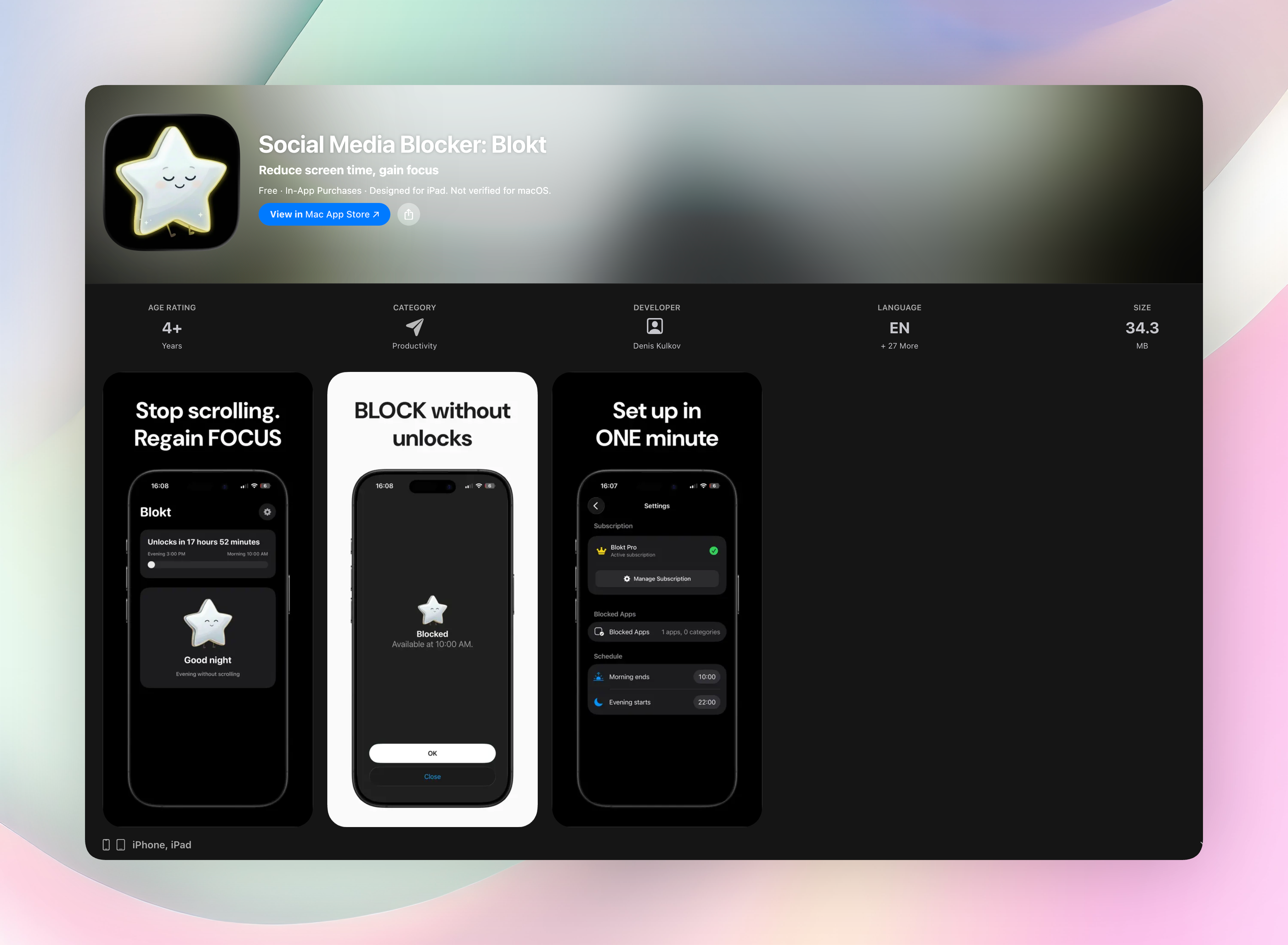
Social Media Blocker is our top pick because it respects your intelligence. Instead of locking you out of apps forever, it sits between impulse and action, forcing a tiny moment of choice. You set a morning and evening block window, pick the apps you want quieted, and that’s it. Two minutes to set up. When you instinctively tap Instagram at 10 p.m., the app isn’t there to catch you, and the habit starts to loosen.
Compared to full blockers, this approach is less draconian, which means you’re far more likely to stick with it long‑term. No accounts, no data collection, no ads, everything runs on your device. It’s dead simple to set up on iOS, and it’s the only app here that felt like a natural, sustainable part of our daily phone routine.
- Standout features:
Custom morning and evening block windows that you set once and forget.
Choose exactly which apps and categories to block — no all‑or‑nothing.
Completely local processing, zero data leaves your phone.
Get Social Media Blocker | Social Media Blocker on the App Store
2. One Sec
Best for: hijacking autopilot with a deep breath.
One Sec intercepts your app‑opening impulse by making you do a breathing exercise first. That 10‑second mindful gap often kills the urge entirely. You realize you weren’t even craving the app, just the motion. You can customize the intervention length and type, and it integrates with Shortcuts on iOS for power users. Works across iOS and Android.
3. Forest
Best for: turning focus into a living visual reward.
Plant a virtual tree when you want to concentrate. Leave the app to doomscroll and the tree withers. That tiny emotional cost is surprisingly effective. The real‑world tree‑planting partnership gives it a do‑good layer, but the real standout is watching your forest grow over time, which turns focus into a streak you’ll actually want to protect.
4. Opal
Best for: deep focus that’s hard to undo.
Opal is for when you need to lock yourself out completely. Custom focus sessions block apps and websites, and the “don’t break” mode makes the bypass intentionally difficult. You need a friend or a set waiting period. The analytics show how you spend attention, not just time, and the UI is sleek enough to feel like a premium tool.
5. ScreenZen
Best for: a gentle nudge instead of a padlock.
ScreenZen adds 5-10 seconds of friction before an app opens, often with a “why now?” prompt that you can customize. It’s a configurable delay, not a block, which makes it feel less like a punishment and more like a choice. If you hate aggressive blockers but need something to interrupt mindless taps, this one fits.
6. Headway
Best for: swapping the feed for 15‑minute learning hits.
Headway doesn’t block anything. It replaces the dopamine loop with bite‑sized book summaries. The text and audio formats mean you can learn while commuting or doing chores, and the daily curated pick tempts you toward knowledge instead of a scroll hole. It’s a productive substitution, not a restriction.
7. Minimalist Phone
Best for: stripping away the visual candy that hooks you.
This Android launcher overhauls your home screen into a black‑and‑white, text‑based menu. No colorful icons, no notification badges, just a list of app names. It doesn’t block anything, but by removing the triggers, it makes your phone feel boring and tool‑like, reducing that unconscious pull to open something shiny.
8. Freedom
Best for: synced deep‑work blocks across all devices.
Freedom lets you schedule recurring focus sessions that lock chosen apps and sites on your phone, tablet, and laptop simultaneously. You can whitelist essential tools, and the locked mode prevents you from editing the block list mid‑session, even if you try from another device. Good for people whose distraction spans multiple screens.
9. ScrollGuard
Best for: killing short‑form video feeds without ghosting your social life.
ScrollGuard targets the most addictive format, Reels, Shorts, TikTok‑style feeds, inside social apps, while leaving messaging and core features alone. Granular per‑platform controls let you toggle exactly which feed types get blocked on which apps. You stay connected, but the infinite scroll is gone.
How we picked these apps
We installed each app and used it for a week of phone‑heavy days, looking for habit doom alternatives that actually change behavior. Our criteria: friction without excessive hassle, actual habit shifting (not just time‑wasting stats), and respect for your autonomy. We picked apps for different personalities: minimalists, gamifiers, hardcore blockers, and learning junkies. We skipped anything buggy, abandoned, or pushing aggressive subscriptions with no trial. Only our top pick gets a download link; the rest are here to help you compare.
Frequently asked questions
How is this different from iPhone’s built‑in Screen Time?
Third‑party apps add psychological speed bumps, like breathing pauses or customizable delays, instead of just hard limits. They often feel less parent‑controlled and more like a tool you chose for yourself.
Can I still use social media for work?
Yes. Most of these apps let you whitelist essential functions or schedule specific access times. ScrollGuard is a perfect example: you can block just the feed while keeping DMs and posting fully available.
Do these apps snoop on my activity?
We only recommend apps with transparent privacy policies that don’t sell attention data. Social Media Blocker, for instance, processes everything on your device with no data collection. Still, always check permissions yourself.
The verdict
Social Media Blocker is the one we put on our own phones first. It’s lightweight, respects your intelligence, and actually changes the “open Instagram” reflex without feeling like a punishment. That’s why we stuck with it long after testing. If you want to stop doomscrolling without deleting your social accounts, start here.
Free Blokt tools
- Phone Addiction TestEstimate how much friction your phone habits create using time, pickups, cut-down attempts, and delayed sleep. See every factor behind your score.
- Social Media Addiction TestReflect on social-feed habits with an original, browser-based score and separate time-control, checking, and interference factors.