
Best 9 Unhookd Alternatives in 2026: Reclaim Your Focus
Introduction
Social Media Blocker is the best unhookd alternative for iOS users who need a deliberate pause before doomscrolling. It stops you from opening social apps on autopilot so you make a conscious choice instead. We tested eight more apps across iOS and Android, each with its own twist on friction or platform focus.
Quick comparison table
| App | Best for | Platform | Price |
|---|---|---|---|
| Social Media Blocker | A “not right now” barrier before social apps | iOS | Free |
| TaskGate | Task-based friction before unlocking apps | Android | Free |
| Opal | All-in-one focus suite with analytics | iOS | Paid |
| one sec | Micro-friction breathing pause before browsing | iOS | Freemium |
| ScreenZen | Escalating delays and strict scheduling | Android | Free |
| Freedom | Cross-platform blocking that prevents device-hopping | iOS | Paid |
| Forest | Gamified focus timer with visual rewards | Android | Paid |
| AppBlock | Rigid schedules and strict daily limits | Android | Freemium |
| Habit Doom | Habit-locked blocker that ties screen time to to-dos | iOS | Paid |
1. Social Media Blocker
Best for: A deliberate “act before you open” pause on iOS, not a hard block.
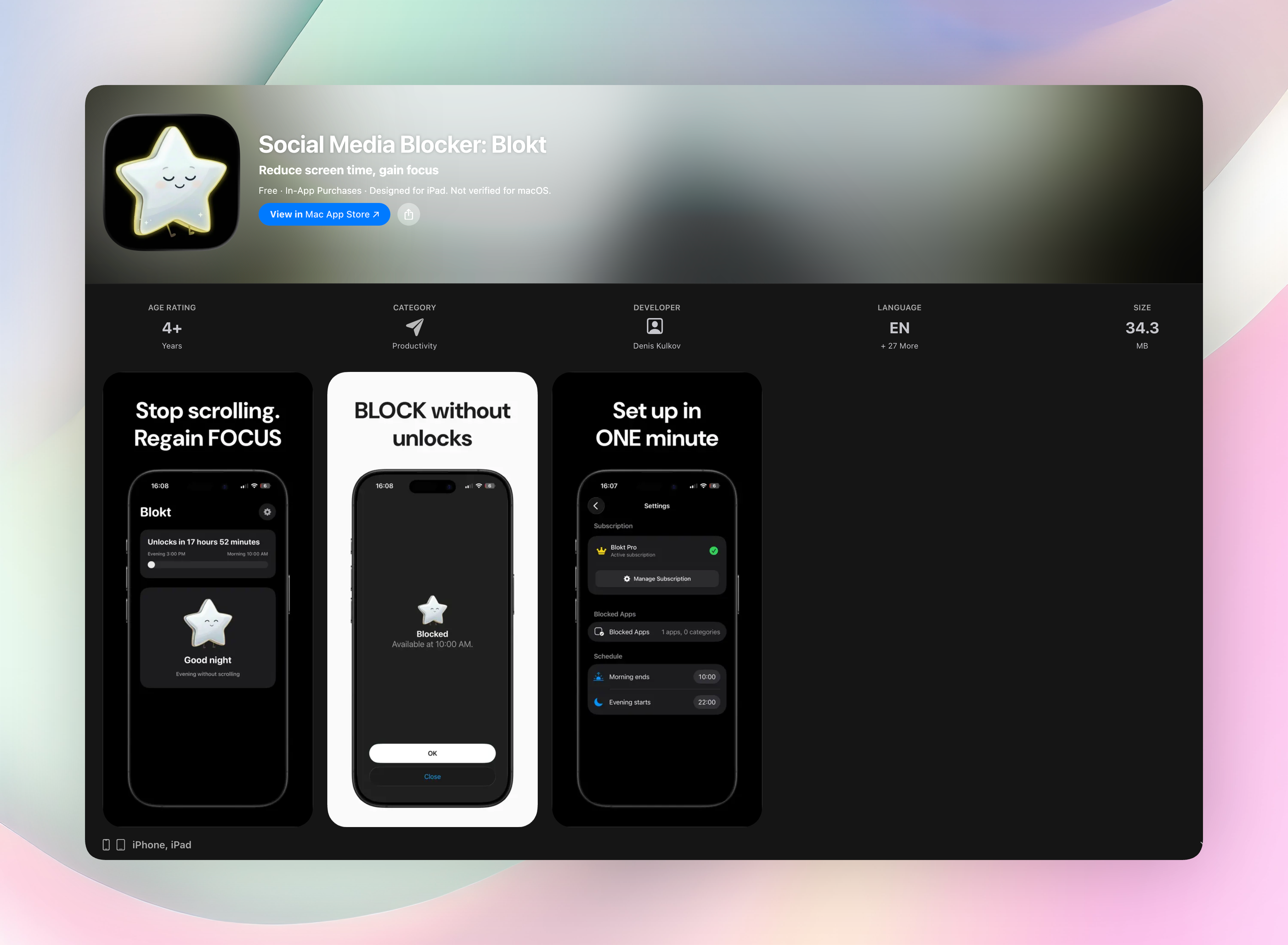
Social Media Blocker interrupts the automatic tap that launches Instagram, TikTok, or whatever you scroll when you’re bored. Instead of a feed, you get a single overlay asking if you really want to open the app right now. That one extra step is what makes the habit break. You have to consciously choose, and more often than not, you choose “not now.”
Where unhookd removes the newsfeed or addictive elements inside an app, Social Media Blocker stops the app from loading at all until you decide. It’s a lighter, sharper friction that works before the dopamine loop starts. There’s no account creation, nothing to sign into, and all settings live on your device. You set your morning and evening block windows, pick the apps you want behind the pause screen, and tweak a short grace period if you like.
- One-tap overlay that demands a conscious choice instead of muscle memory
- Custom morning and evening block windows
- Works entirely offline with no data collection, no ads, and no accounts
- Lightweight setup in about two minutes
Get Social Media Blocker · Social Media Blocker on the App Store
2. TaskGate
Best for: Android users who want a tiny chore to earn their scrolling time.
TaskGate swaps the empty “just one look” instinct with a productive micro-task. Before Twitter or TikTok opens, you might type a sentence, check off a to-do, or confirm a habit logged in a partner app. The friction is real but not punitive. It’s free, ad-free, and built with privacy at the center — no account required, no data leaving your phone. The integration with task managers turns app-blocking into a soft nudge toward actual work, which makes it one of the most constructive unhookd alternatives on Android.
3. Opal
Best for: iOS users who want focus analytics and friendly competitive pressure.
Opal packages deep-focus sessions, usage dashboards, and opt-in leaderboards into a polished subscription. You can see exactly where your attention leaks and compare your screen time with friends who also use the app. That social gamification is a different beast from unhookd’s feed filtering. It’s less about reshaping the app experience and more about reshaping your motivation to put the phone down. If you respond to stats and group accountability more than solitary willpower, Opal earns its price tag.
4. one sec
Best for: Breathing-based micro-interventions that defuse impulsive taps.
one sec isn’t a blocker. When you tap a social app, it greets you with a short breathing animation and a prompt to pause. You can still open the app after, but the forced 5-to-10-second gap is often enough to short-circuit the urge. The psychology is simple: delay the reward long enough for your prefrontal cortex to catch up. If unhookd cleans the feed inside an app, one sec keeps you from entering it mindlessly, and that small shift in timing changes the whole dynamic.
5. ScreenZen
Best for: Android power users who want escalations, not a simple wall.
ScreenZen lets you script multi-step delays that grow longer with each attempt. The first tap might trigger a 5-second pause; the third might demand you type a short sentence. Combine that with time-based schedules that tighten during work hours, and you get a tool that adapts to your willpower dips. It’s free, remarkably flexible, and closer to a habit-replacement engine than a dumb blocker. For Android users who found unhookd’s per-feed tweaks too easy to bypass, ScreenZen’s layered gates are a smart upgrade.
6. Freedom
Best for: People who device-hop during focus blocks and need a single kill switch.
Freedom syncs your blocklist across iPhone, iPad, Mac, and even Windows. Start a session on your phone and the same social apps lock on your tablet, no sneaky switching. Where unhookd often required per-device setup, Freedom’s one-list-everywhere model closes the loophole fast. It’s a paid service, but for someone whose distraction problem spans screens, the cross-platform reliability is the feature that makes the difference between a half-hearted attempt and an actual digital boundary.
7. Forest
Best for: Visual motivation without punishment.
Forest turns a focus session into a little tree that grows on your screen. Leave the app to scroll Instagram, and the tree withers. It’s lighthearted positive reinforcement instead of restriction enforcement, which works well if guilt-driven blockers make you rebel. Over days, you build a forest that represents concentrated time. It’s not an unhookd-style content filter, but it reframes the focus challenge as something you nurture rather than a rule you endure.
8. AppBlock
Best for: Android users who want ironclad schedules and daily hard limits.
AppBlock’s “strict mode” can disable uninstall attempts and lock your settings during scheduled blocks, so there’s no sneaky way around the rules. You set daily time caps for specific apps, craft smart schedules that trigger automatically, and the app holds the line. This hard-line approach contrasts sharply with apps that merely suggest a pause and with unhookd’s gentler feed cleanup. If soft friction never worked for you, AppBlock is the enforcer you hate to love.
9. Habit Doom
Best for: Linking screen time directly to real-world to-dos.
Habit Doom locks your entertainment apps behind a productivity gate. You want to check Reddit? First mark your daily habits as done, like exercise, reading, whatever you set. Unfinished habits keep the apps completely inaccessible. That’s a radical shift from unhookd’s feed removal philosophy; here, the phone becomes a scorekeeper for your intentions. For anyone who wants their screen time to feel earned instead of stolen, the habit-lock model creates a tangible link between doing what matters and goofing off.
How we picked these apps
We tested each app’s core friction mechanic for at least a week to see if it genuinely interrupted our own doomscrolling habits. The criteria were straightforward: no account-creation spam, respect for privacy, a clear habit-interruption design (not just a timer), and a setup process you could finish during one coffee. We avoided tools that drained battery or demanded invasive permissions. We also looked for a mix of free and paid, iOS and Android options to mirror the cross-platform flexibility people often sought in unhookd alternatives.
Frequently asked questions
Is unhookd shutting down or just not working?
Unhookd’s functionality can break when social platforms update their layouts, which often leads to instability. The developer hasn’t confirmed a shutdown.
How does the blocking philosophy compare to unhookd’s feed cleaning?
Most alternatives here replace the app-opening reflex with a pause or condition, while unhookd tried to sanitize the app’s internal feeds.
Which alternative is completely free?
Social Media Blocker, TaskGate, and ScreenZen all have fully functional free tiers. Others offer free trials or limited free modes.
Is there an app that copies unhookd’s feed-removal style exactly?
No single app mirrors that method. The tools here interrupt the habit loop at a different point, before the app loads, rather than stripping the feed after.
The verdict
Social Media Blocker does one thing and does it without clutter: it places a “not right now” gate between you and the apps that eat your attention. There’s no account to manage, no analytics to obsess over, and no subscription to forget about. That lean, customizable pause is why it’s the top pick among unhookd alternatives for iOS. It replaces the reflexive open with a quiet moment of choice. If you want a straightforward barrier that works the second you set it up, get Social Media Blocker and give yourself back a few hours.
Free Blokt tools
- Phone Addiction TestEstimate how much friction your phone habits create using time, pickups, cut-down attempts, and delayed sleep. See every factor behind your score.
- Social Media Addiction TestReflect on social-feed habits with an original, browser-based score and separate time-control, checking, and interference factors.