
How to Break Social Media Addiction
How to break social media addiction to Instagram or TikTok starts with the app's own design: autoplay and an infinite, algorithm-picked feed with no "finished" state. The fix is the same shape as phone addiction generally — remove the automatic open, add friction, and block the worst window outright.
How to Break Social Media Addiction: Why Instagram and TikTok Are Hard to Quit
It's worth naming the design honestly, because it changes what "just use less willpower" is actually competing against. Both apps use a feed that's algorithmically selected rather than chronological, which means the app is actively choosing what it predicts will keep you watching, not just showing you what's new. TikTok's format in particular removes almost every natural stopping point — each video plays automatically into the next, there's no episode to finish and no scroll position to lose your place in, so there's rarely a moment that naturally suggests "that's enough."
None of this is a conspiracy theory — it's just the ordinary incentive of any product that earns money from time spent in it. Knowing that doesn't make the pull disappear, but it does explain why "I'll just use more discipline" tends to lose against a feed engineered specifically to make discipline hard to exercise.
The pull-to-refresh gesture both apps use is worth naming too: it works on the same basic principle as a slot machine pull — you don't know what's waiting until you check, so checking feels worth doing again even on the times it wasn't. That uncertainty is a stronger pull to keep checking than a feed that reliably gave you the same thing every time would be.
The "I Opened It Before I Decided To" Habit
For a lot of people, the actual problem with Instagram or TikTok isn't the time spent once they're in the app — it's how automatically the app gets opened in the first place. You reach for your phone to check a message, and somehow you're in Instagram. You unlock the screen out of boredom, and your thumb has already tapped the icon before you consciously decided to. How to stop opening Instagram automatically starts with treating that reflex, not the time-in-app, as the actual target.
This reflexive opening is worth separating from a deliberate decision to scroll, because it responds to a different fix. A deliberate decision to check Instagram for ten minutes is something you can negotiate with yourself about. An automatic tap that happens before any decision is made can't be negotiated with — it has to be interrupted before it happens, usually by making the app physically harder to reach.
A useful way to tell the two apart: ask yourself, after the fact, whether you remember opening the app. If you remember deciding to check it, that's a normal, deliberate use of the app. If the first thing you remember is already being in the feed, that's the reflex operating on its own, and it's the one worth targeting first.
How to Stop Instagram Addiction
A few changes that target the specific design of the app rather than generic willpower:
- Move it off your home screen, ideally into a folder a few taps deep. The automatic reflex depends on the icon being exactly where your thumb already expects it.
- Turn off suggested content and recommendation-heavy sections where you can. Most versions of the app let you narrow what shows up in your main feed toward people you actually follow, which reduces how much of the session is algorithmically-selected filler.
- Use the app's own time-awareness tools. Instagram includes some form of a daily time reminder in most versions, even if the exact menu path shifts between updates — worth turning on as a light check, even though it's not a hard limit.
How to Stop TikTok Addiction
TikTok's autoplay format makes some of the Instagram-style fixes less effective on their own, since there's no algorithmic feed setting to "turn down" the way there is elsewhere — the entire app is built around one continuously-playing recommendation feed. That makes friction and scheduling matter more here than content settings do:
- Log out between sessions, even though it's mildly annoying. That small barrier is often enough to stop the automatic, undecided opens, without meaningfully getting in the way when you deliberately want to use the app.
- Set a specific time you allow yourself to open it, rather than an amount of time once you're in it. Because there's no natural stopping point once a session starts, the more effective boundary is around when sessions are allowed to happen at all.
Removing the Automatic Open for Good
Friction and settings changes help throughout the day, but the reflexive, undecided opens tend to cluster in the same window most people already know: the evening, once the day's obligations are done and boredom has the most room to operate. For that specific window, a lot of people find it easier to remove the option entirely rather than keep fighting the automatic reach for it.
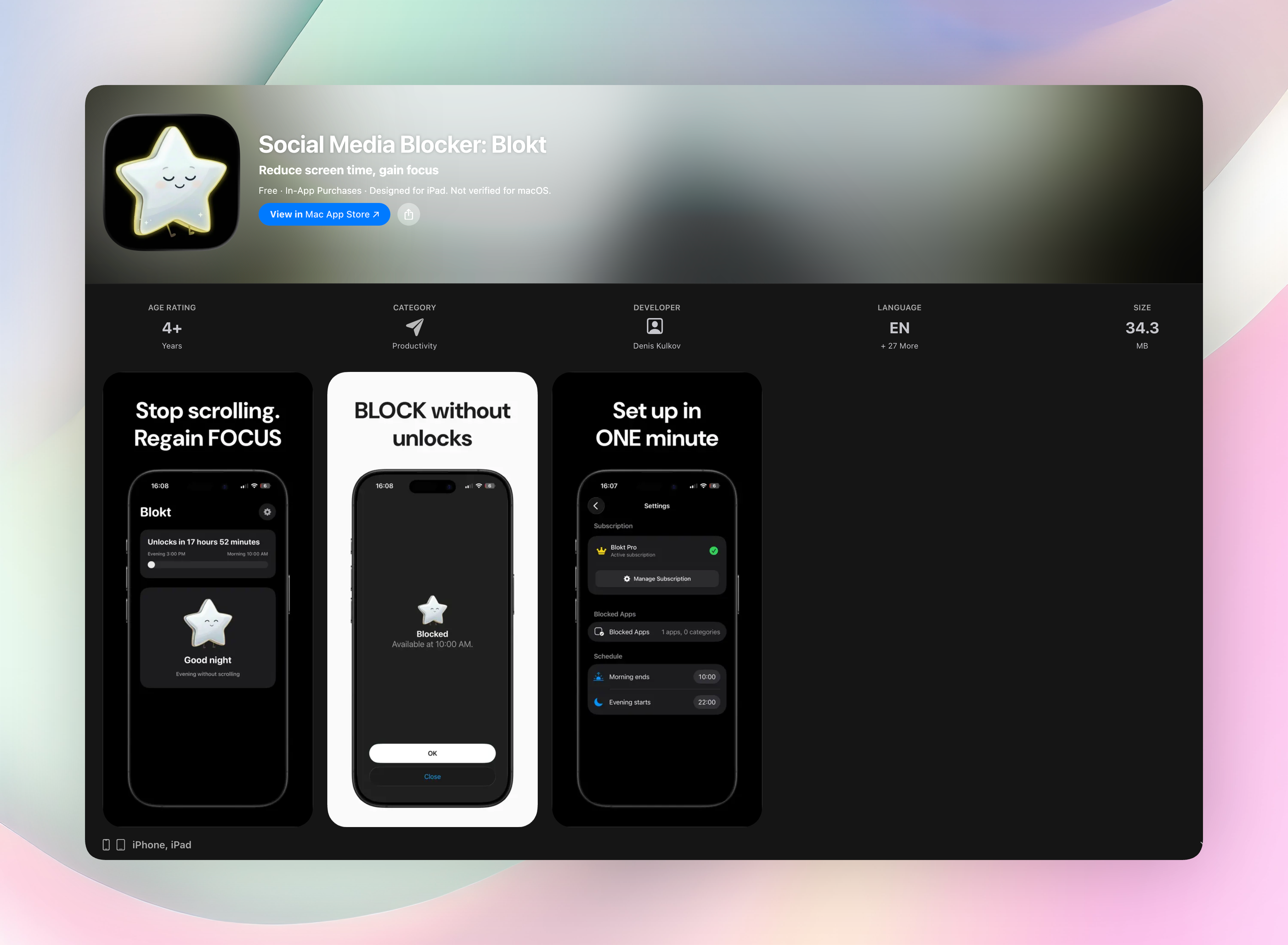
Blokt lets you pick the specific apps or categories — Instagram and TikTok included — and block them between a set evening start and morning end, enforced through Apple's Screen Time controls, with no unblock button to tap your way past once the window starts. It doesn't require the automatic reflex to be strong-willed against; it just isn't there to open.
If the pattern you're fighting isn't specific to Instagram or TikTok, how to break phone addiction covers the same fixes at a wider scope, and how to stop doomscrolling covers the specific version tied to negative or alarming content.
FAQ
How do I stop being addicted to Instagram?
Move the app off your home screen, narrow your feed toward people you actually follow instead of recommended content, and use a scheduled block for the times you tend to open it automatically, especially in the evening.
How do I stop being addicted to TikTok?
Because TikTok's autoplay feed has no natural stopping point, friction and scheduling matter more than in-app settings. Logging out between sessions and blocking the app during your worst window tend to work better than trying to limit time once a session has already started.
Why do I open Instagram or TikTok without meaning to?
It's usually a reflex rather than a decision — your hand moves to the familiar icon before the thought to open it fully forms. Moving the app further away, physically or through a login barrier, interrupts that reflex before it completes.
Is social media addiction the same as phone addiction?
They overlap but aren't identical. Phone addiction is the broader pattern of compulsive phone use in general; social media addiction is specifically about apps like Instagram and TikTok, which tend to be harder to put down because of autoplay and algorithmic, endlessly-refreshing feeds.
Free Blokt tools
- Phone Addiction TestEstimate how much friction your phone habits create using time, pickups, cut-down attempts, and delayed sleep. See every factor behind your score.
- Social Media Addiction TestReflect on social-feed habits with an original, browser-based score and separate time-control, checking, and interference factors.