
How to Stop Doomscrolling
How to stop doomscrolling comes down to three moves: remove the trigger that starts a session, replace the gap it fills, and add a hard cutoff for the time of day — usually night — where willpower fails you most. Trying to simply scroll less rarely works, because nothing about the habit itself changes.
Remove the Trigger, Not Just the Habit
If you're not sure the habit you're describing is doomscrolling specifically rather than phone use in general, what doomscrolling actually is is worth a quick read first — it's a narrower pattern with its own triggers, distinct from scrolling in general.
Most doomscrolling sessions start the same way every time: a specific notification, a specific idle moment, a specific feeling like boredom or stress. If you want to know how to quit doomscrolling for good rather than just for a day, start by identifying that trigger instead of trying to white-knuckle your way past the session once it's already started.
A few common ones, and what to do about each:
- Notifications from news or social apps — turn them off, or at least turn off the ones that summarize breaking news, since those are usually the specific pull that starts a session.
- Opening the app "just to check one thing" — that's rarely actually one thing. If you notice yourself using this phrase in your head, treat it as the trigger itself, not an innocent exception.
- A quiet, unstructured moment — waiting in line, lying in bed, a lull between tasks. The phone fills a gap that has nothing else in it, so the real fix is having something else ready for that gap, which is the next section.
Replace the Gap Instead of Just Resisting It
Willpower spent purely on resisting a habit tends to run out fast, because you're fighting an urge with nothing to put in its place. It works better to have a specific, ready substitute for the exact moment the urge shows up — something that takes about as much effort to start as opening the app does, so it's a real competitor rather than a chore you'll skip.
What to Do Instead of Doomscrolling
A short list, on purpose — the goal isn't a long list you'll never remember, it's one or two defaults you actually reach for:
- A single article, podcast episode, or a few pages of a book queued up in advance, so there's no "deciding what to do" step in the way.
- A two-minute physical reset — stretch, step outside, refill a glass of water. Not because it's a cure, just because it interrupts the sitting-still, thumb-moving posture that the habit runs on.
- Texting one specific person, rather than opening an app that has everyone in it. It scratches a similar social itch without the infinite feed underneath it.
Why "Just Delete the App" Doesn't Always Work
Deleting the worst offender is a real option, and for some people it's the right one. But it has a gap: most of the apps involved in doomscrolling aren't the only source of bad news or arguing strangers — delete one and the same pull often reappears on whatever app is still installed, or in a browser tab that takes two extra seconds to open instead of one. That's not a reason to skip deleting an app if it genuinely helps you; it's a reason not to be surprised if the habit moves rather than disappears.
The more durable version of the same idea isn't picking one app to remove, it's deciding on a window of time where the reflex doesn't get to run at all, regardless of which app it would have used. If the pattern you're fighting has spread past news and social feeds into phone use generally, breaking phone addiction covers the same principles at a wider scope.
Scheduled Blocks for the Worst Times of Day
For most people, doomscrolling doesn't spread evenly across the day — it clusters in one or two windows where nothing else is competing for attention. Trying to fight that specific window with willpower, every single day, is a much harder job than fighting it once with a schedule.
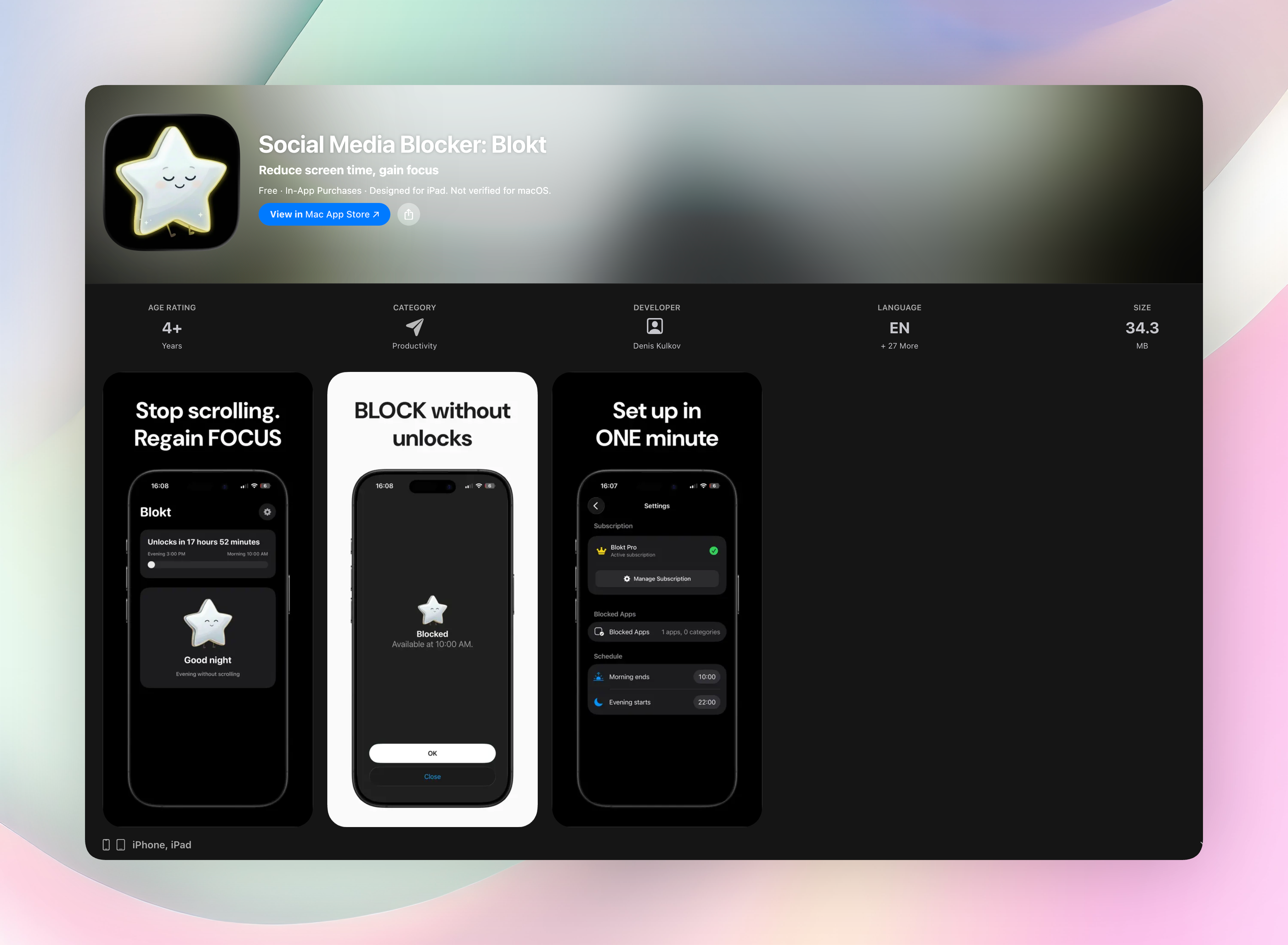
This is where a lot of people find that removing the option outright works better than trying to catch themselves each time. Blokt blocks the apps or categories you choose between a set evening start time and a set morning end time, enforced through Apple's Screen Time controls, with no unblock button to talk yourself past once the window starts.
How to Stop Doomscrolling at Night
Night deserves its own section because it's the hardest window for almost everyone, for a specific reason: it's usually the first fully unstructured moment of the day, and it's also the point where you have the least mental resistance left to spend on stopping yourself. Two things make the night version different from daytime doomscrolling, and worth handling separately.
First, there's no external interruption. During the day, a meeting ends, a task comes up, someone talks to you — something eventually breaks the scroll even if you don't. At night, nothing does that for you, so a session that would get interrupted at 3pm can run uninterrupted for an hour at 11pm.
Second, the stakes are higher and less visible in the moment. An hour lost at night doesn't just cost you an hour — it eats directly into sleep, which makes tomorrow's version of you even less equipped to resist the same habit. That's part of why the pattern tends to compound: a bad night makes the next day's willpower worse, which makes the next night more likely to slip too.
A fixed cutoff time — not "I'll stop when I feel tired," but an actual clock time you commit to in advance — is the single most effective change here, because it takes the decision out of the exact moment you're least equipped to make it well. Deciding at 6pm, when you're rested and clear-headed, is a fundamentally easier decision than deciding at 11:40pm, mid-scroll.
FAQ
How do I stop doomscrolling?
Identify the specific trigger that starts your sessions, have a ready substitute for the gap it fills, and add a scheduled block for whichever time of day you struggle with most — usually the evening.
What should I do instead of doomscrolling?
Something low-effort and already decided in advance: a queued article or podcast, a short physical reset, or texting one specific person. The key is removing the "deciding what to do" step, since that's where the phone usually wins by default.
How do I stop doomscrolling at night specifically?
Set a fixed cutoff time in advance, while you're still rested and clear-headed, rather than trying to judge in the moment when you've had "enough." Night doomscrolling runs longer because nothing external interrupts it and your resistance is lowest right before bed.
Why can't I just stop doomscrolling with willpower?
Willpower has to be spent fresh in every single moment of temptation, and a phone creates dozens of those moments a day. Changing the environment — the trigger, the notification, the schedule — holds up better than relying on resisting the urge every time it shows up.
Is there a quick way to stop mindless scrolling in the moment?
Naming what you're doing out loud or in your head — "I'm scrolling without a reason right now" — is often enough to break the automatic version of the habit, because doomscrolling runs on not noticing. It won't fix the pattern long-term on its own, but it interrupts a session already in progress.
Free Blokt tools
- Phone Addiction TestEstimate how much friction your phone habits create using time, pickups, cut-down attempts, and delayed sleep. See every factor behind your score.
- Social Media Addiction TestReflect on social-feed habits with an original, browser-based score and separate time-control, checking, and interference factors.